
Website Redesign Checklist for Indian Businesses: SEO, UX, Performance & Launch Guide (2026)
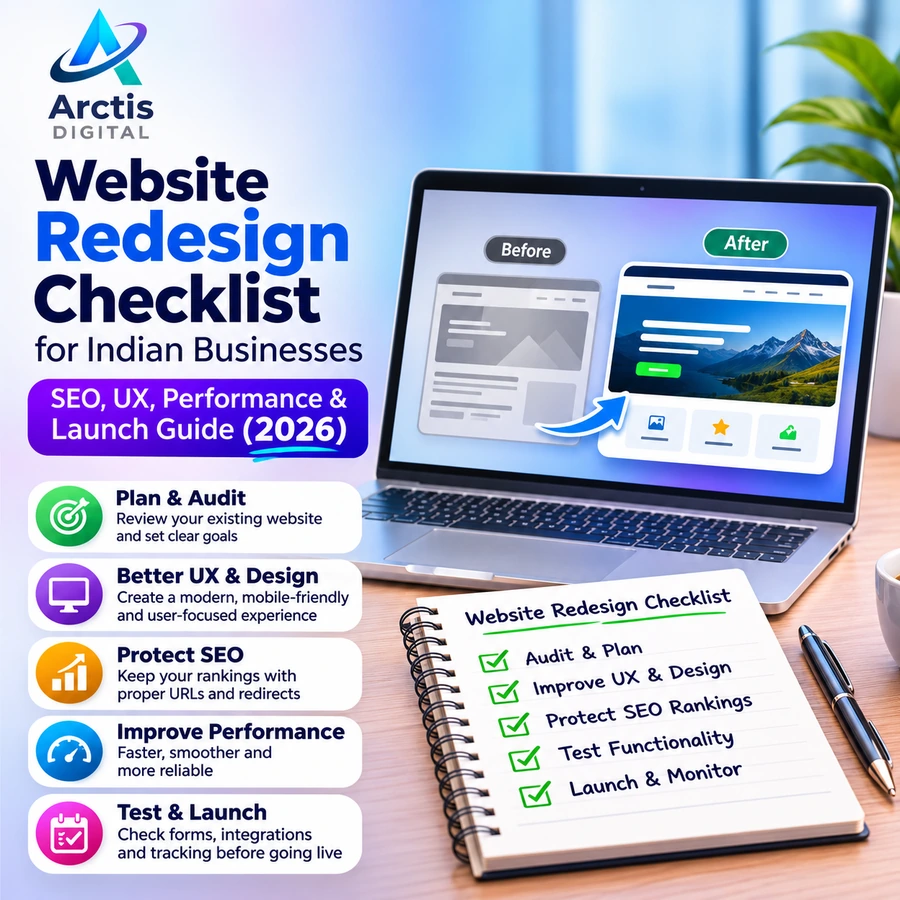
A website redesign is not simply about changing colours, updating images, or choosing a more modern layout. It is an opportunity to improve how customers discover your business, understand your services, contact your team, and become paying customers.
However, a poorly planned redesign can create new problems. Important pages may disappear, existing Google rankings may fluctuate, contact forms may stop working, and visitors may struggle to find information that was previously easy to access.
This is why every business should follow a proper website redesign checklist before replacing its existing website.
Whether you operate a local business, professional service company, startup, consultancy, clinic, or e-commerce store in India, this guide explains how to evaluate your existing website, plan improvements, protect SEO, test functionality, and launch the redesigned website properly.
1. What Is Website Redesign?
Website redesign is the process of improving an existing website's visual appearance, structure, content, functionality, user experience, and technical performance.
Depending on the website's condition and business requirements, a redesign can involve small visual improvements or a complete rebuild.
A website redesign may include:
- Updating the website layout, colours, typography, and visual identity.
- Improving navigation and page structure.
- Rewriting outdated or unclear website content.
- Improving mobile responsiveness.
- Optimising website loading performance.
- Improving SEO structure and internal linking.
- Updating contact forms and enquiry workflows.
- Adding new features, integrations, or functionality.
- Improving website security and maintainability.
The objective should not be to make the website look different. It should be to make it more useful, accessible, reliable, and effective for the business.
2. Does Your Business Actually Need a Website Redesign?
Before investing in a redesign, identify what is wrong with your current website.
A complete redesign is not always necessary. Sometimes a few targeted improvements can solve the problem without rebuilding everything.
Signs that your website needs attention
1. Your website looks outdated
Your website may use an old layout, inconsistent typography, low-quality images, or design elements that no longer represent your business.
2. Your website does not work properly on mobile devices
A website that requires visitors to zoom in, scroll horizontally, or struggle with navigation creates unnecessary friction.
3. Visitors are not contacting your business
If people visit your website but rarely submit enquiries, call your team, or initiate WhatsApp conversations, review your content, trust signals, and conversion journey.
4. Your website is difficult to update
If every small content change requires technical assistance, your current CMS or website architecture may no longer suit your business.
5. Your website loads slowly
Large images, unnecessary scripts, outdated plugins, and inefficient code can negatively affect the browsing experience.
6. Your business has changed
Your website may no longer represent your current services, products, pricing approach, target audience, or brand positioning.
7. Your website has technical or security problems
Broken links, outdated software, unreliable forms, security warnings, and recurring errors are signs that the website needs technical attention.
Website refresh vs complete redesign
You do not always need to replace the entire website.
- Website refresh: Suitable when the existing structure works but the design, images, content, or selected sections need improvement.
- Complete redesign: Suitable when the website structure, user journey, functionality, or overall technology needs substantial changes.
- Website migration: Suitable when moving to another CMS, domain, hosting environment, or website architecture. A migration may also happen alongside a redesign.
Choose the smallest solution that properly addresses the actual problem.
3. Website Redesign Checklist: Audit Your Existing Website First
The first stage of a successful website redesign is understanding what already works.
Do not start deleting pages, changing URLs, or replacing content before reviewing the existing website.
Step 1: Review every important website page
Create an inventory of your existing pages.
Include:
- Homepage
- About Us
- Services
- Individual service pages
- Products and category pages
- Portfolio or case studies
- Blog articles
- Contact page
- Frequently asked questions
- Privacy policy and other important legal pages
For every page, decide whether it should be retained, improved, combined with another page, redirected, or removed.
A page should not be deleted simply because its current design looks outdated.
Step 2: Review website traffic and SEO performance
Use Google Search Console to understand how people discover your existing website.
Review:
- Total clicks and impressions.
- Search queries bringing visitors to your website.
- Pages receiving organic traffic.
- Pages with valuable search visibility.
- Indexing issues.
- Search performance trends.
Also review your analytics data to understand visitor behaviour, traffic sources, and important conversions.
Your existing website may contain pages that generate enquiries or attract useful backlinks. Protect those pages during the redesign.
If you are unfamiliar with Search Console, read our guide: Google Search Console in 2026: 12 Reports Every Business Website Should Monitor.
Step 3: Identify the existing website's problems
Prepare a list of problems rather than immediately deciding on a new design.
For example:
- The navigation menu is confusing.
- Service information is incomplete.
- The contact form is unreliable.
- Important buttons are difficult to find.
- Images take too long to load.
- The website has inconsistent layouts.
- Some pages are missing from the sitemap.
- The website does not explain why customers should choose the business.
Prioritise issues according to their impact on customers, functionality, SEO, and business enquiries.
4. Plan the New Website Structure and User Experience
A redesign should make it easier for visitors to find what they need.
Do not copy the old website structure automatically. Review whether the navigation and page organisation still match the business.
Step 4: Create a clear website sitemap
A typical business website may include:
- Home
- About
- Services
- Service 1
- Service 2
- Service 3
- Portfolio
- Blog
- Contact
An e-commerce website may additionally require product categories, product pages, shopping cart, checkout, account pages, and order information.
The final structure should depend on the business model and the information customers need.
Step 5: Improve navigation
Your navigation should help visitors understand where they are and what they can do next.
Check the following:
- Keep menu labels simple and understandable.
- Group related services logically.
- Avoid unnecessary menu items.
- Make important pages easy to reach.
- Ensure the mobile navigation works properly.
- Provide a clear contact or enquiry action.
Visitors should not have to search through multiple pages just to understand what your business offers.
Step 6: Improve website content
A visually attractive website cannot compensate for unclear content.
Every important page should explain:
- What your business offers.
- Who your services are for.
- Which customer problems you solve.
- What makes your offering relevant.
- How customers can get started.
Use descriptive headings, short paragraphs, meaningful images, and clear calls to action.
Avoid exaggerated claims, generic marketing statements, and unsupported promises.
Step 7: Design clear conversion paths
Every important page should guide visitors towards a useful next step.
Depending on your business, this could be:
- Request a quotation.
- Book a consultation.
- Call your business.
- Start a WhatsApp conversation.
- Purchase a product.
- Submit an enquiry form.
Make these actions visible without overwhelming visitors with too many competing buttons.
For more ideas, read our guide on How to Increase Website Leads in 2026: 15 Website Conversion Strategies That Actually Matter.
5. Website Design, Mobile Responsiveness and Accessibility
Your redesigned website should work consistently across different devices and browsing conditions.
Step 8: Create a consistent visual identity
Use a consistent design system across the website.
Review:
- Brand colours.
- Typography and font sizes.
- Button styles.
- Spacing and alignment.
- Image quality.
- Icon styles.
- Section layouts.
- Heading hierarchy.
Consistency makes the website easier to understand and helps establish a recognisable brand identity.
Step 9: Test the mobile experience
Do not approve a website based only on how it looks on a desktop monitor.
Check it on different mobile screen sizes.
Verify that:
- Text remains readable.
- Navigation menus open and close correctly.
- Buttons are easy to tap.
- Images fit the screen.
- Forms are easy to complete.
- Important information is not hidden.
- No horizontal scrolling appears unexpectedly.
Test real interactions instead of relying only on a responsive preview in a design tool.
Step 10: Follow accessibility best practices
A redesigned website should be usable by people with different abilities.
Include:
- Appropriate alternative text for meaningful images.
- Clear heading structure.
- Sufficient text and background colour contrast.
- Keyboard-accessible navigation.
- Visible keyboard focus.
- Properly labelled form fields.
- Clear error messages.
- Screen reader-friendly content.
Use WCAG 2.2 as a reference when planning accessibility improvements.
Read our detailed Website Accessibility Checklist for Indian Businesses for practical implementation and testing guidance.
6. Website Performance and Technical Improvements
A redesign should not introduce unnecessary scripts, oversized images, or inefficient functionality.
Step 11: Optimise images and media
Images are often a significant part of a website's page weight.
During the redesign:
- Use appropriately sized images.
- Compress images without making them visibly poor.
- Consider WebP or AVIF where supported.
- Avoid uploading unnecessarily large files.
- Implement lazy loading for suitable below-the-fold images.
- Provide image dimensions to reduce layout shifts.
Do not use large background videos or animations unless they serve a clear purpose.
Step 12: Improve Core Web Vitals
Evaluate the redesigned website using Google's Core Web Vitals.
The three main metrics are:
- LCP (Largest Contentful Paint): Measures loading performance. A good result is 2.5 seconds or less.
- INP (Interaction to Next Paint): Measures responsiveness. A good result is 200 milliseconds or less.
- CLS (Cumulative Layout Shift): Measures visual stability. A good result is 0.1 or less.
These thresholds are assessed at the 75th percentile of real-user page visits.
Use PageSpeed Insights and Search Console to identify issues and monitor improvements.
Read our detailed guide: Core Web Vitals for Business Websites in India: LCP, INP & CLS Guide (2026).
Step 13: Review website security
A redesigned website should have appropriate security measures.
Check:
- HTTPS and a valid SSL/TLS certificate.
- Updated CMS, themes, and plugins where applicable.
- Secure administrator accounts.
- Strong passwords and appropriate access permissions.
- Reliable backup arrangements.
- Protection for forms and user inputs.
- Removal of unused plugins and unnecessary components.
Security is an ongoing responsibility, not a one-time launch task.
For additional guidance, read Website Maintenance Checklist for Small Businesses in India.
7. SEO Checklist: Protect Existing Google Rankings During a Redesign
This is one of the most important parts of the entire website redesign checklist.
A new website may look better but still perform worse in search results if important SEO elements are accidentally removed.
Step 14: Preserve important URLs wherever possible
If an existing page already receives traffic, has backlinks, or generates enquiries, avoid changing its URL without a clear reason.
For example:
Old URL: example.com/services/web-design
New URL: example.com/web-design-services
If the URL changes, configure an appropriate permanent redirect from the old URL to its closest relevant replacement.
Step 15: Create a 301 redirect map
Prepare a spreadsheet containing:
- Old URL.
- New destination URL.
- Redirect status.
- Reason for the change.
- Testing result.
Each changed URL should point to the most relevant replacement.
Avoid redirecting every deleted page to the homepage. If a genuinely equivalent page does not exist, use the appropriate response for removed content.
Test redirects to identify broken destinations, loops, and unnecessary redirect chains.
Step 16: Preserve on-page SEO elements
Review the following for important pages:
- SEO title tags.
- Meta descriptions.
- H1 and supporting headings.
- Main page content.
- Image alternative text.
- Internal links.
- Canonical tags.
- Structured data where applicable.
Do not remove useful content simply to make the new layout shorter.
You can improve the content and presentation, but preserve the information that makes the page useful and relevant to its audience.
Step 17: Review XML sitemap and robots.txt
Before launching:
- Ensure the XML sitemap contains the correct preferred URLs.
- Remove outdated or redirected URLs from the new sitemap.
- Check that important pages are not blocked by robots.txt.
- Remove temporary noindex instructions from pages that should be indexed.
- Verify canonical URLs.
- Test important pages using Google Search Console.
A common mistake is launching a production website while retaining the noindex or crawling restrictions used during development.
Step 18: Update internal and external business links
Check links pointing to the old website structure.
Update:
- Internal navigation links.
- Links within blog articles.
- Footer links.
- Social media profile links.
- Google Business Profile website links.
- Relevant business directory listings.
- Advertising landing page URLs.
This reduces reliance on redirects and gives visitors a more consistent experience.
For Google's official guidance, refer to Google Search Central: How to Move a Site.
8. Test Website Forms, Integrations and Lead Tracking
A website can appear perfect while its most important business functions are broken.
A contact form that does not deliver enquiries can cost a business potential customers.
Step 19: Test all important website functionality
Test every feature that visitors or employees rely on.
Depending on your website, this may include:
- Contact forms.
- Quote request forms.
- Newsletter subscriptions.
- Login and registration.
- Search functionality.
- Shopping cart and checkout.
- Payment gateway integration.
- WhatsApp buttons.
- Email notifications.
- Appointment booking.
- CRM integrations.
- API connections.
Submit real test enquiries and confirm that they reach the correct destination.
Do not assume a form works simply because the success message appears on the screen.
Read Website Contact Form Not Sending Emails? Causes & Fixes for Business Websites if your enquiry forms are unreliable.
Step 20: Configure analytics and conversion tracking
Before launch, decide which actions matter to the business.
Depending on your goals, track:
- Successful form submissions.
- Phone number clicks.
- WhatsApp conversations initiated.
- Product purchases.
- Booking completions.
- Important CTA interactions.
Use Google Analytics 4, Google Tag Manager, or suitable alternatives where appropriate.
Test events on the production website after launch. Copying tracking code from the old website does not prove that the new conversion events work correctly.
If your business runs Google or Meta advertising, ensure that important lead events are measured correctly.
Our guide on Google Ads & Meta Ads Lead Tracking: How to Measure Real Leads in India explains the importance of measuring actual enquiries rather than relying only on clicks.
9. Website Redesign Pre-Launch Checklist
Before making the redesigned website publicly available, complete a final quality check.
Content and design
- All important pages have been reviewed.
- Website content is accurate and up to date.
- Navigation and footer links work.
- Images and videos display correctly.
- Typography and spacing are consistent.
- Mobile layouts have been tested.
- Accessibility checks have been completed.
SEO and technical checks
- Important existing URLs have been preserved or mapped.
- Permanent redirects have been tested.
- Page titles and meta descriptions are present.
- Heading structure is logical.
- Canonical tags are correct.
- XML sitemap is updated.
- robots.txt is checked.
- Production pages do not retain unintended noindex instructions.
- Internal links point to the correct URLs.
- Structured data has been reviewed where applicable.
Functionality and security
- Contact forms successfully deliver test enquiries.
- Email notifications work.
- WhatsApp and call buttons work.
- Payment or booking features have been tested, if applicable.
- SSL certificate is valid.
- Administrator access is secure.
- A restorable backup is available.
- Domain and DNS settings are verified.
- Hosting and server configuration are ready.
Analytics and launch preparation
- Analytics tracking is working.
- Important conversion events have been tested.
- Google Search Console is verified.
- The new sitemap is ready for submission.
- The launch date and responsible team members are confirmed.
- A rollback or recovery plan is available.
Do not treat the website as ready simply because the homepage looks correct. Test the important page templates and complete customer journeys.
10. What to Do After Launching the Redesigned Website
Publishing the redesigned website is not the final step.
Monitor its performance and functionality after launch to identify problems that may not have appeared during development.
First 24–48 hours
- Open important pages and verify that they load correctly.
- Test forms, email notifications, and WhatsApp links.
- Check redirects and important URLs.
- Confirm that the website is accessible over HTTPS.
- Verify that analytics tracking is working.
- Check that the production website is not blocked from indexing.
First 7 days
- Review Google Search Console for indexing and crawling issues.
- Check important landing pages.
- Review website errors and broken links.
- Test website speed on representative pages.
- Check whether visitors can complete important actions.
- Investigate missing or unexpected traffic patterns.
First 30 days
- Compare organic clicks and impressions with the previous baseline.
- Review important search queries and landing pages.
- Monitor leads and conversion events.
- Review Core Web Vitals data as it becomes available.
- Fix recurring technical and usability problems.
- Update any remaining external links pointing to old URLs.
Search visibility can fluctuate after a significant website move. Google explains that processing a site move can take a few weeks or longer for medium-sized websites, depending on the scale of the change and crawling conditions.
Do not assume that every short-term ranking fluctuation is a permanent failure. Investigate the affected pages and identify the actual cause.
11. Common Website Redesign Mistakes Businesses Should Avoid
Even a well-designed website can fail to deliver results when the redesign process is poorly managed.
Avoid these mistakes:
1. Redesigning without auditing the old website
You may accidentally remove useful pages, content, and search visibility.
2. Focusing only on appearance
A modern design is not enough if the website is confusing, slow, or difficult to use.
3. Ignoring mobile users
A layout that works on a desktop may be frustrating on a smaller screen.
4. Changing URLs without redirects
Existing search results and external links may lead visitors to missing pages.
5. Removing valuable website content
Deleting useful information can reduce the relevance and usefulness of important pages.
6. Ignoring contact forms and integrations
Broken enquiries, email notifications, or tracking can directly affect business operations.
7. Skipping website testing
Launching without proper testing can expose visitors to errors that should have been caught during development.
8. Not monitoring the website after launch
Some problems appear only after real visitors and search engine crawlers start using the new website.
A successful redesign requires planning, testing, and continuous improvement—not just a new visual theme.
12. How Much Does Website Redesign Cost in India?
The cost of redesigning a website in India depends on its size, technology, functionality, content requirements, and migration complexity.
A simple visual refresh is different from a complete custom rebuild with SEO migration and third-party integrations.
Factors that influence website redesign pricing include:
- Number of pages and design templates.
- Custom UI/UX requirements.
- WordPress, Shopify, or custom development.
- Content rewriting and migration.
- E-commerce functionality.
- API and third-party integrations.
- SEO audit and URL migration.
- Performance and accessibility improvements.
- Testing, deployment, and post-launch support.
Do not compare quotations based only on the final price. Check what each developer or agency includes in the scope.
For broader pricing information, read our guide: How Much Does a Website Cost in India? Complete Pricing Guide.
13. How to Choose the Right Website Redesign Company
Choosing the right development partner is important because a redesign involves more than visual design.
Before hiring an agency or developer, review:
- Previous website projects and relevant experience.
- Understanding of your business requirements.
- UI/UX design and development process.
- SEO migration and redirect planning.
- Mobile responsiveness and performance practices.
- Security and backup arrangements.
- Testing and quality assurance.
- Ownership of the domain, hosting, and website files.
- Post-launch maintenance and support.
Ask the provider exactly what is included in the project and who will be responsible for technical issues after launch.
Avoid selecting a provider based only on a low quotation or attractive mockup.
Read our guide on How to Choose a Website Development Company in India in 2026 before making a decision.
Frequently Asked Questions
1. How often should a business redesign its website?
There is no fixed redesign schedule. A website should be redesigned when its design, technology, content, functionality, or customer experience no longer meets business requirements. Regular improvements may be more useful than rebuilding the entire website every few years.
2. Will redesigning my website affect Google rankings?
It can. Changes to URLs, content, internal links, page structure, and technical SEO can affect search visibility. Preserve valuable URLs wherever possible, configure appropriate redirects, and monitor Google Search Console after launch.
3. Should I change my domain name during a website redesign?
Not necessarily. A domain change introduces additional migration work and potential search visibility fluctuations. Keep the existing domain unless there is a genuine branding, legal, or strategic reason to change it.
4. Is website redesign different from website development?
Yes. Website development can involve creating a new website from scratch, while website redesign focuses on improving an existing website. A redesign may still involve substantial redevelopment when the existing technology or structure needs replacement.
5. Can I redesign my website without losing existing content?
Yes. Create a content inventory before development and decide which pages should be retained, improved, consolidated, redirected, or removed. Back up the original website before making major changes.
6. How long does a website redesign take?
The timeline depends on the number of pages, design complexity, content readiness, integrations, and technical requirements. A small refresh may take considerably less time than a complete custom rebuild or e-commerce migration. Ask for a project-specific timeline rather than relying on a generic estimate.
7. Should SEO be included in a website redesign?
Yes. SEO should be considered from the planning stage, not added as an afterthought. Page structure, content, URLs, redirects, metadata, internal links, indexing, and performance all deserve attention during the redesign.
8. What should I check immediately after launching a new website?
Check important pages, redirects, forms, email notifications, mobile responsiveness, SSL, analytics, and indexing settings. Then monitor Search Console, website errors, and business conversions over the following weeks.
Final Thoughts
A website redesign should solve real business problems, not simply make an existing website look newer.
The right process starts with an audit, establishes clear objectives, improves the user experience, protects existing SEO value, tests important functionality, and continues with post-launch monitoring.
For Indian businesses, a properly planned redesign can provide a better foundation for online visibility, customer enquiries, and future growth.
Planning to redesign your business website?
Arctis Digital provides website design and development, SEO, performance optimisation, API integration, and website maintenance services.
Visit Arctis Digital or contact our team to discuss your website requirements.
Official References and Useful Resources
- Google Search Central – How to Move a Site
- Google Search Central – SEO Starter Guide
- Google Search Console
- PageSpeed Insights
- Web Content Accessibility Guidelines (WCAG) 2.2
Related Guides from Arctis Digital
- Google Search Console in 2026: 12 Reports Every Business Website Should Monitor
- How to Increase Website Leads in 2026: 15 Website Conversion Strategies That Actually Matter
- Core Web Vitals for Business Websites in India: LCP, INP & CLS Guide (2026)
- Website Accessibility Checklist for Indian Businesses
- Website Maintenance Checklist for Small Businesses in India
- How Much Does a Website Cost in India? Complete Pricing Guide