
Website Maintenance Checklist for Small Businesses in India (2026 Guide)
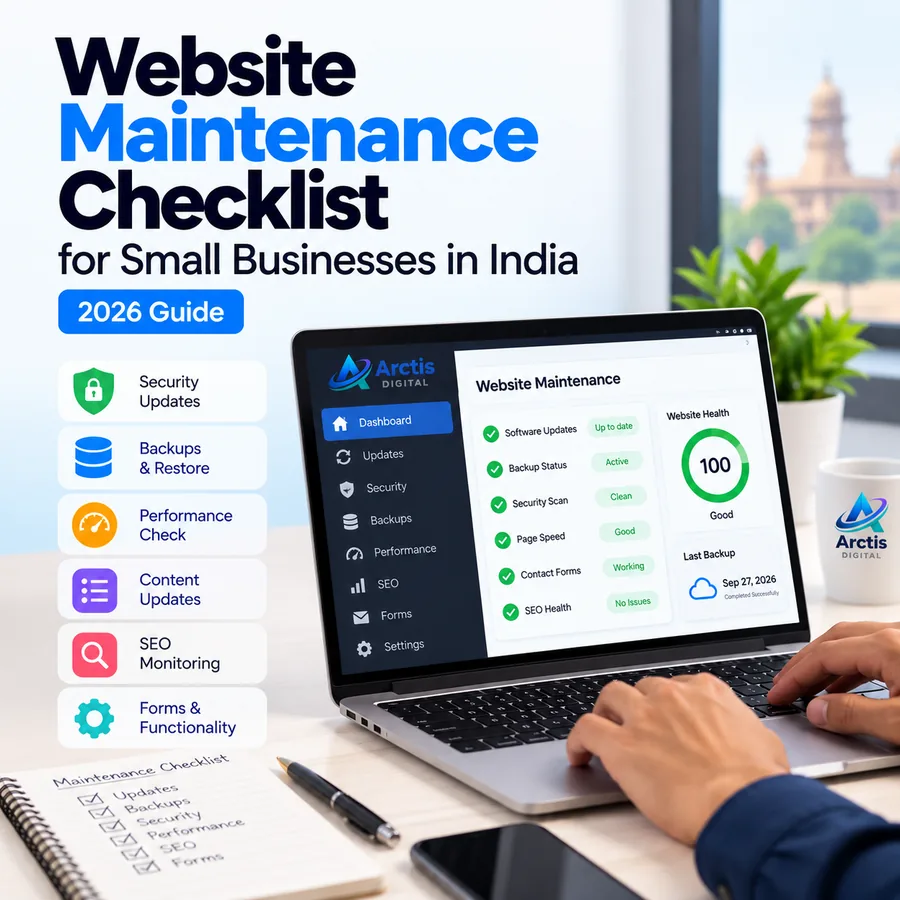
A website is not a one-time project that can be forgotten after launch. Your business website may be collecting enquiries, displaying service information, receiving online orders, or helping customers contact your team. If a form stops working, a page becomes unavailable, a domain expires, or an update breaks an important feature, the problem can affect both customer experience and business operations.
Website maintenance is the ongoing work of checking, updating, securing, and improving a website after it goes live. It is not limited to changing text or renewing hosting. A useful maintenance routine covers website functionality, software, backups, security, performance, search visibility, and the business information visitors rely on.
This guide explains what small businesses in India should check weekly, monthly, quarterly, and annually in 2026. It also explains how maintenance differs across WordPress, custom-coded websites, and hosted platforms, so you can build a routine that fits the website you actually operate.
What Is Website Maintenance?
Website maintenance is the regular process of keeping a live website functional, secure, accurate, and usable. It includes technical checks as well as reviewing the content and customer journeys that matter to the business.
Depending on the website, maintenance may include:
- Checking whether important pages load correctly.
- Testing contact forms, enquiry buttons, booking flows, and payment journeys.
- Applying supported software and dependency updates.
- Reviewing user accounts and access permissions.
- Confirming backups are being created and can be restored.
- Checking HTTPS, domain, DNS, and hosting-related settings.
- Monitoring website speed and mobile usability.
- Finding broken links, missing images, and unexpected errors.
- Reviewing Search Console and analytics for issues or changes.
- Updating outdated prices, services, contact details, and other business information.
The exact work depends on the platform. A WordPress website may need core, theme, and plugin updates. A custom React or other coded website may need dependency updates, build checks, deployment reviews, and API monitoring. A hosted website builder may handle some infrastructure and software updates for you, but you still need to check the content, forms, domain, analytics, and customer experience.
Why Website Maintenance Matters for Small Businesses
1. It helps keep customer enquiries working
A website can look normal while an enquiry form, WhatsApp link, phone button, or email notification is broken. Test the complete customer journey rather than checking only whether the homepage opens.
For example, submit a test enquiry using a real device, confirm that the form displays a success message, check that the notification reaches the correct inbox, and verify that the business can reply. If the website uses a booking or payment service, test the relevant workflow in a safe test environment.
2. It reduces avoidable security risks
Outdated software, unused accounts, weak passwords, and unmaintained applications can expose a website to avoidable risks. CERT-In's 2026 advisory for MSMEs recommends applying security updates, using multi-factor authentication where available, removing or isolating unmaintained applications, and testing backup restoration procedures.
Maintenance does not make a website impossible to compromise. It creates a repeatable process for reducing weaknesses and responding when something goes wrong.
3. It helps protect website data
Websites may contain business content, enquiry records, product information, customer accounts, or other important data. A backup that has never been tested is not proof that the business can recover quickly.
Your maintenance routine should confirm what is backed up, when it was last completed, where the copy is stored, who can access it, and how restoration would work.
4. It improves the customer experience
Broken navigation, missing images, slow pages, layout problems, and outdated contact information make a website harder to use. Regular checks help identify problems before more visitors encounter them.
5. It supports ongoing SEO health
Website maintenance can help identify technical problems such as broken internal links, accidental noindex settings, inaccessible pages, redirect errors, or performance regressions. It does not guarantee higher Google rankings. Search visibility still depends on relevance, content quality, competition, and many other factors.
For more detail on monitoring search performance, read our Google Search Console in 2026 guide.
Website Maintenance Checklist: What to Check and When
There is no universal schedule that fits every website. The checklist below is a practical starting point for a small business website. A busy online store, booking platform, or website handling sensitive customer information may need more frequent checks than a simple brochure website.
Weekly Website Maintenance Checklist
1. Check website availability
Open the website on a desktop and a mobile device. Visit the homepage and a few important pages, such as Services, Contact, product pages, or booking pages. Check for error messages, unusual redirects, broken layouts, and missing content.
If the website supports transactions or receives high-value leads, use uptime monitoring and configure alerts so that an outage is not discovered only when a customer complains.
2. Test important forms and contact options
Submit a test enquiry through the website's main contact form. Confirm that:
- Required fields validate correctly.
- The success message appears.
- The notification reaches the intended inbox.
- The reply address and email formatting are correct.
- Spam protection does not block legitimate enquiries.
- Phone and WhatsApp links open the correct destination.
Do not test live payments by placing unnecessary real orders. Use a test mode or the payment provider's approved testing process.
3. Review backup status
Check whether the latest scheduled backup completed successfully. Confirm that it includes the information the business needs to recover, such as website files, databases, uploaded media, and configuration data where applicable.
For a frequently updated website, the backup schedule should reflect how much recent data the business can afford to lose. WordPress's backup guidance explains that backup frequency should depend on site activity and recommends backing up before upgrades. It also discusses keeping copies in different locations. Read the WordPress backup guidance.
4. Review important alerts
Check messages from your hosting provider, domain registrar, CMS, security tools, and website monitoring services. Investigate warnings about failed backups, resource limits, expired certificates, suspicious logins, or software vulnerabilities rather than ignoring them.
5. Check recent website changes
Review recent content edits, design changes, plugin updates, code deployments, and integrations. Confirm that the changes did not break navigation, forms, images, or other important functions.
Monthly Website Maintenance Checklist
1. Apply relevant software and dependency updates
For WordPress websites, review available WordPress core, theme, and plugin updates. Remove plugins and themes that are no longer needed, and avoid installing extensions from untrusted sources. Back up the website before significant updates. Where possible, test updates on a staging copy before applying them to the live website.
For custom-coded websites, review framework and package updates, check release notes, and run the project's tests and production build before deployment. Do not blindly update every dependency on a live site without checking compatibility.
For hosted platforms, review the platform's update notices and check whether any connected apps, themes, or integrations need attention.
2. Test the website on mobile devices
Check key pages at common mobile screen widths. Look for text that is difficult to read, buttons that are too close together, menus that do not open, forms that are hard to complete, and sections that overflow horizontally.
Test the actual user journey: finding a service, reading the details, tapping the contact button, and submitting an enquiry.
3. Review website performance
Use Google PageSpeed Insights to test important pages. Review real-user Core Web Vitals data in Search Console when sufficient field data is available.
Google's current good Core Web Vitals thresholds are:
- Largest Contentful Paint (LCP): 2.5 seconds or less.
- Interaction to Next Paint (INP): 200 milliseconds or less.
- Cumulative Layout Shift (CLS): 0.1 or less.
These are user-experience targets, not a promise of a particular search position. Google notes that good Core Web Vitals results do not guarantee top rankings. See Google's page experience guidance.
If a page becomes slower, investigate the actual cause. Large images, excessive scripts, third-party widgets, inefficient queries, and hosting constraints can all contribute. Do not install multiple optimization tools without measuring their effect.
4. Check broken links and important pages
Review important internal links, navigation items, call-to-action buttons, and external links. Look for 404 errors and incorrect redirects. If a page has moved, redirect the old URL to the most relevant replacement rather than sending every old URL to the homepage.
5. Review search performance and indexing
Open Google Search Console and review:
- Pages that have been excluded from indexing.
- Unexpected drops in clicks or impressions.
- Important URLs that are not indexed as expected.
- Sudden increases in 404 or server errors.
- Core Web Vitals issues where field data is available.
- Search queries that indicate a page may need clearer or more useful content.
Do not change page titles or URLs simply because a metric moved for a short period. First investigate the page, query, seasonality, and technical context.
Our guide to increasing website leads explains how website usability and conversion paths affect enquiries.
6. Review website content and business details
Check whether the information customers rely on is still correct:
- Business address and contact information.
- Phone number, WhatsApp number, and email address.
- Services, products, and service areas.
- Pricing, offers, and availability where displayed.
- Team information, testimonials, and portfolio examples.
- Business hours and holiday notices.
- Contact, privacy, refund, and other relevant policy pages.
Remove expired promotional banners and update outdated claims. Do not leave old prices or offers visible after they are no longer valid.
Quarterly Website Maintenance Checklist
1. Test a backup restoration
A successful backup job does not prove that the website can be restored. Periodically test restoration in a safe staging or recovery environment. Confirm that files, databases, media, forms, and key functions work after recovery.
Record the date of the test, what was restored, any missing data, and how long recovery took. For business-critical websites, define a recovery process before an incident occurs.
2. Review user accounts and permissions
Check who has access to the hosting account, website administration, domain registrar, analytics, Search Console, forms, and third-party integrations. Remove access that is no longer needed and replace shared credentials with individual accounts where possible.
Use multi-factor authentication where supported. Make sure recovery email addresses and phone numbers belong to the business and are still accessible.
3. Review plugins, integrations, and external services
Identify unused plugins, old scripts, abandoned integrations, trial services, and external widgets. Remove components that are no longer required after confirming that they are not used by another part of the website.
Check whether important integrations—such as maps, analytics, payment gateways, CRM tools, email delivery, and spam protection—are still connected and authorized.
4. Review domain, DNS, and certificate details
Check domain and hosting renewal dates, DNS configuration, nameserver ownership, and SSL/TLS certificate status. Confirm who receives renewal notices and who can make changes if a service is close to expiry.
For more background, read our cPanel hosting guide for small businesses, which explains hosting control panels, backups, and the questions to ask before choosing a hosting plan.
5. Review accessibility and usability
Check that images have meaningful alternative text where needed, forms have clear labels, text is readable, keyboard navigation works for important controls, and buttons communicate their purpose. Automated tools can identify some issues, but manual testing is still useful.
6. Review website goals and conversion paths
Look at the main actions you want visitors to complete. Are they finding the correct service page? Can they contact the business easily? Are enquiry forms asking for unnecessary information? Do important pages have clear next steps?
Use analytics and actual customer feedback to decide what to improve. Avoid changing a working layout just because a design trend is popular.
Annual Website Maintenance Checklist
1. Review domain and service renewals
Confirm the renewal dates and ownership of the domain, hosting, business email, paid themes, plugins, SSL services where applicable, and third-party subscriptions. Remove services the business no longer uses, but verify dependencies before cancelling anything.
2. Review website ownership and documentation
Maintain a secure record of:
- Domain registrar and account owner.
- DNS provider and nameserver details.
- Hosting provider and account owner.
- Website administrator accounts.
- Source-code repository and deployment access, if applicable.
- Analytics and Search Console access.
- Backup location and restoration instructions.
- Support contacts and renewal dates.
The business should retain control of essential accounts even when a developer or agency manages the technical work.
3. Review whether the website still fits the business
Check whether the website structure, content, forms, integrations, and design still support the current business. A full redesign is not automatically necessary every year. Prioritize specific problems and improvements based on evidence, not appearance alone.
4. Review privacy and customer-data practices
Check what information the website collects, where enquiry data is stored, who can access it, and whether privacy notices accurately describe the process. Review form fields, third-party integrations, and retention practices. Seek appropriate legal advice for obligations that apply to your business and the data it processes.
Website Maintenance by Platform: What Is Different?
Not every website needs the same maintenance tasks. Use the section that matches your technology.
WordPress Websites
A WordPress maintenance routine commonly includes:
- Reviewing WordPress core, theme, and plugin updates.
- Backing up files and databases before significant changes.
- Removing inactive or untrusted plugins and themes.
- Checking administrator accounts and permissions.
- Testing forms, menus, search, and important plugins after updates.
- Reviewing broken links, spam, and outdated content.
WordPress provides its own site maintenance documentation and update guidance. Follow the instructions for the version and hosting setup in use.
Custom-Coded Websites (React, Vite, Next.js, and Similar Frameworks)
A custom-coded website may not have a WordPress dashboard or plugin list. Its maintenance work is different:
- Review framework and package security updates.
- Check dependency advisories and remove unused packages.
- Run tests and production builds before deploying changes.
- Review deployment logs and confirm the latest release is healthy.
- Keep environment variables and API credentials out of public source code.
- Test forms, API connections, redirects, and third-party services.
- Keep a known-good deployment or rollback method where the platform supports it.
- Review domain, DNS, certificate, and hosting configuration.
Do not apply WordPress-specific instructions to a React or static website. Maintenance should match the actual codebase and hosting platform.
Hosted Website Builders and E-Commerce Platforms
Hosted platforms may manage parts of the server infrastructure and platform software. The business owner still needs to review:
- Storefront pages, product information, and stock details.
- Checkout and payment workflows using approved test procedures.
- Domain configuration and renewal dates.
- Connected apps and third-party integrations.
- Customer notifications and email delivery.
- Access permissions and staff accounts.
- Analytics, forms, policies, and content accuracy.
Check the platform's documentation to understand which responsibilities belong to the platform provider and which remain with the store owner.
Who Should Handle Website Maintenance?
The answer depends on the website's complexity and the business's available technical skills.
Do It Yourself
A business owner may handle basic content updates, checking contact details, reviewing analytics, and testing enquiry forms. This can work for a simple website when someone has the time and understands the platform.
However, technical updates, database restoration, application security, and deployment problems require more care. Do not make unfamiliar changes to a live website without a backup and a recovery plan.
Hire a Website Maintenance Provider
Professional support may be useful when the website generates regular enquiries or revenue, uses multiple integrations, needs ongoing software updates, or has no internal technical owner.
Before hiring a provider, ask what is included and excluded. Clarify update frequency, backup responsibility, restore assistance, security checks, support hours, response expectations, content changes, reporting, and additional charges.
Do not accept vague promises such as “complete security” or “zero downtime.” Ask how the provider works, what is monitored, and what happens when an issue occurs.
Choose a Support Plan That Matches the Risk
A basic informational website may need a lighter routine than an e-commerce website or customer portal. A site that changes frequently or processes orders may need more frequent backups, transaction checks, monitoring, and incident support.
The right maintenance scope should be based on the business impact of downtime or data loss, the frequency of website changes, the technology used, and the recovery time the business can tolerate.
Common Website Maintenance Mistakes to Avoid
Updating Without a Backup
An update can introduce compatibility problems. Back up the website first and use staging or a controlled deployment process when available.
Assuming a Backup Can Be Restored
A backup that has not been tested may be incomplete, corrupted, or missing important data. Test restoration periodically.
Ignoring Contact Forms
A website can remain online while its lead-generation feature silently fails. Test forms and notifications regularly.
Leaving Old Accounts Active
Former employees, contractors, or unused administrators should not retain access indefinitely. Review permissions and secure important accounts.
Installing Too Many Plugins or Tools
Adding multiple plugins for similar tasks can increase complexity, conflicts, and maintenance work. Use only trusted components that serve a clear purpose.
Treating SEO as a One-Time Setup
Search visibility can change as pages, links, competitors, and search systems evolve. Review Search Console data, fix technical errors, and keep important information accurate.
Assuming Hosting Alone Covers Everything
Hosting provides the environment where a website runs. It does not automatically mean that someone is updating the site's content, testing forms, reviewing code, checking integrations, or managing every security responsibility. Confirm the scope of support in writing.
A Practical Website Maintenance Calendar
Use this as a starting point and adjust it to the website's risk and activity level.
| Frequency | Maintenance tasks |
|---|---|
| Weekly | Check availability, test key forms, review backup status, inspect important alerts, check recent changes |
| Monthly | Review updates, test mobile pages, check performance, inspect broken links, review Search Console and analytics, update business information |
| Quarterly | Test backup restoration, review user permissions, remove unused integrations, check DNS and certificate details, review usability and conversion paths |
| Annually | Review domain and service renewals, ownership records, privacy practices, website structure, and whether the current platform still meets business needs |
For a busy store, membership platform, or website handling frequent customer submissions, some checks should happen daily or automatically. The schedule above is not a substitute for risk-based monitoring.
Frequently Asked Questions
How often should a business website be maintained?
Basic checks should happen regularly. A practical starting point is to review availability, forms, and backup status weekly; review performance, content, links, and analytics monthly; and perform deeper access, recovery, and usability checks quarterly. Websites that process orders or sensitive data may need more frequent monitoring.
Is website maintenance necessary after a website is launched?
Yes. A launched website still depends on working forms, current content, valid domains and certificates, functioning integrations, supported software, and reliable recovery options. Maintenance helps keep those parts working as the website and business change.
Does website maintenance improve Google rankings?
Maintenance can help identify technical problems that affect accessibility, usability, and crawling. It does not guarantee higher rankings. Google recommends considering overall page experience, including Core Web Vitals, secure delivery, and mobile presentation, but good page-experience scores alone do not guarantee top search positions.
Does every website need WordPress plugin updates?
No. Plugin updates apply to WordPress websites that use plugins. Custom-coded sites need framework and dependency maintenance, while hosted website builders may manage some platform updates themselves. Always follow the maintenance process for the actual technology.
Are backups part of website maintenance?
They should be part of the maintenance plan, but the frequency and responsibility must be agreed. Confirm what is backed up, where copies are stored, how long they are retained, and whether restoration is tested.
Can I maintain my own business website?
You can handle routine tasks such as content checks, form testing, and reviewing analytics if you understand the platform. For security updates, complex integrations, deployments, and recovery, obtain help from someone qualified to work on the technology.
What should a website maintenance agreement include?
It should define the website and environment covered, update scope, backup and restoration responsibility, monitoring, security checks, content-change allowance, support hours, response targets, reporting, exclusions, emergency work, fees, and account ownership. Make sure “maintenance” is defined in specific deliverables rather than vague promises.
Final Thoughts
A business website needs attention after launch. Regular maintenance helps you discover broken forms, outdated information, software issues, access risks, backup problems, and performance changes before they become larger operational problems.
Start with a simple routine: check the website, test the customer journey, review backups, keep software supported, monitor performance, and maintain accurate business information. Increase the frequency of checks when your website handles more traffic, transactions, or important customer data.
Arctis Digital provides website maintenance and security support to help businesses keep their websites updated, functional, and easier to manage. The exact scope should be agreed based on your website platform and requirements.
Need help maintaining your business website? Explore our services or contact Arctis Digital to discuss the maintenance support your website requires.
Further Reading and Official References
- CERT-In Advisory CIAD-2026-0020: Defending Against Frontier AI Driven Cyber Risks — includes security recommendations for MSMEs such as regular updates, multi-factor authentication, and backup restoration tests.
- Google Search Central: Understanding Page Experience in Google Search Results — explains page experience and Core Web Vitals, and clarifies that good scores do not guarantee top rankings.
- WordPress.org: WordPress Site Maintenance — platform-specific maintenance guidance.
- WordPress Developer Resources: Backups — explains backup frequency, backup copies, and restoration considerations.
- Google PageSpeed Insights — tool for checking page performance.