
Google Search Console in 2026: 12 Reports Every Business Website Should Monitor
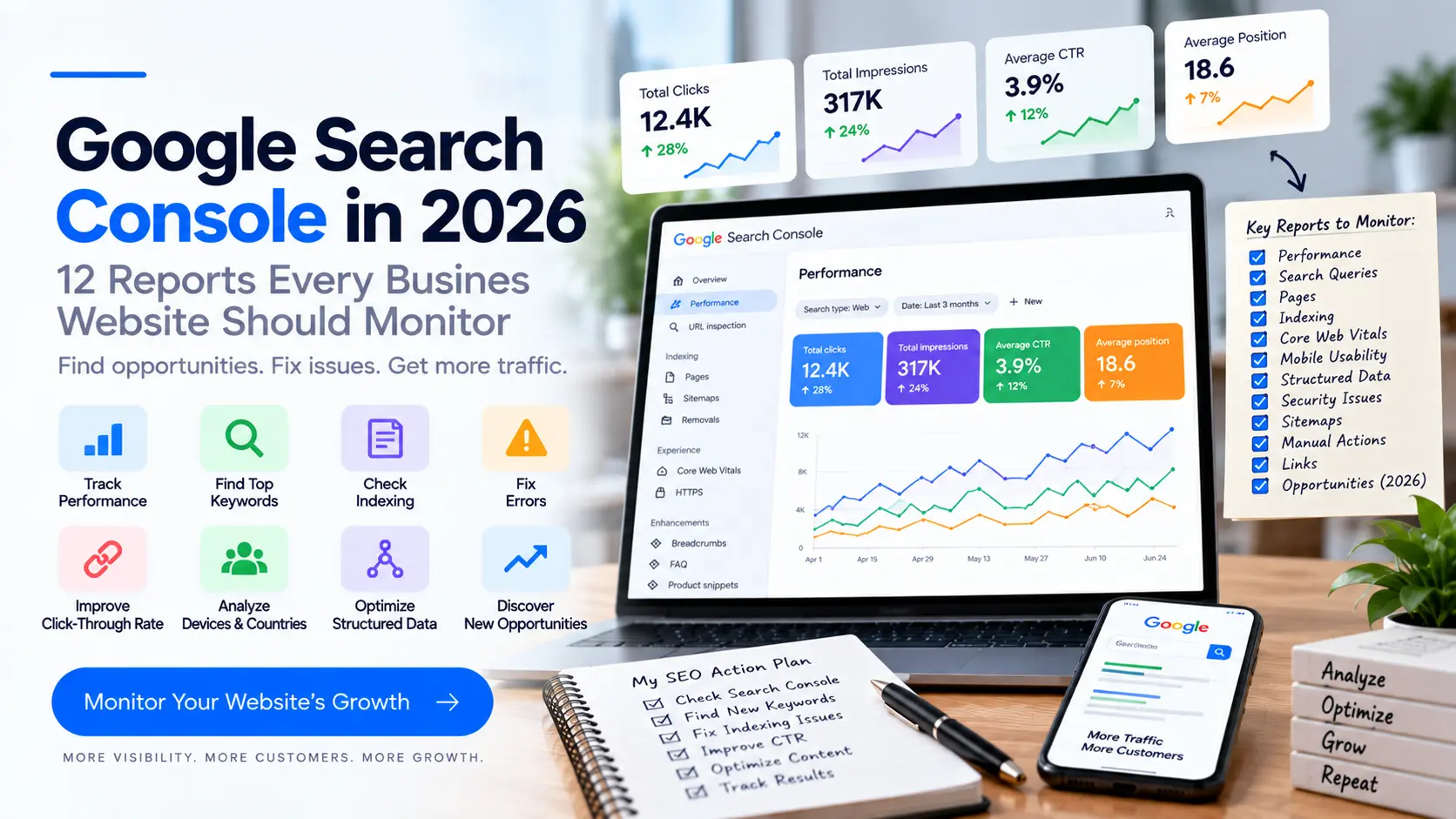
Google Search Console in 2026: 12 Reports Every Business Website Should Monitor
Google Search Console is one of the most useful free tools for understanding how a website performs in Google Search.
Many businesses use it only to check whether a website is indexed. That misses most of its value.
Search Console can help you understand which searches bring visibility, which pages receive clicks, where indexing problems exist, and how your site appears across newer Search experiences.
Google has continued expanding Search Console in 2026. AI Mode data is included in overall Search Console performance totals, and Google introduced a multimodal search filter covering searches involving Lens, Circle to Search, image uploads, and “Search this image.” Google Search Central · Google Search Central Blog
This guide explains what business owners should actually monitor.
What Is Google Search Console?
Google Search Console is Google's tool for website owners and SEO teams to monitor a site's presence in Google Search.
It can help you understand:
- Search queries
- Clicks
- Impressions
- Click-through rate
- Average position
- Search appearance
- Indexing
- URL status
- Search performance by device and country
A useful distinction is:
Search Console: How are people finding my website through Google?
Google Analytics: What do people do after they arrive?
For a serious SEO strategy, you generally want both.
1. Performance Report
The Performance report is one of the most important areas to monitor.
It includes metrics such as:
- Clicks
- Impressions
- Click-through rate
- Average position
- Search queries
- Pages
- Countries
- Devices
- Search appearance
The basic funnel is:
Impressions
    ↓
Clicks
    ↓
Website Visits
    ↓
Conversions
For example:
100,000 impressions
        ↓
3,000 clicks
        ↓
3% CTR
Do not evaluate SEO using CTR alone. A smaller amount of highly relevant commercial traffic can be more valuable than large amounts of irrelevant traffic.
2. Search Queries
Search queries show what people searched for when your website appeared in Google.
A web development company might discover impressions for:
website development company
web development company near me
website development company in Vadodara
custom web application development
ecommerce website development
These queries can reveal opportunities for:
- New service pages
- Location pages
- Blog posts
- FAQs
- Better internal links
Do not create a new page for every query. First determine the search intent and whether an existing page already satisfies it.
3. Pages Report
The Pages view helps you understand which URLs are receiving search visibility and clicks.
Look for:
High impressions + low clicks
Possible issues:
- Weak title
- Weak snippet
- Search intent mismatch
- Strong competition
- Search features affecting clicks
High clicks + strong conversion rate
These pages may be commercially important.
Low impressions + important page
Possible issues include:
- Indexing problems
- Weak relevance
- Poor internal linking
- Weak content
- Limited search demand
Connect this report to your actual business goals.
4. CTR Analysis
Click-through rate is:
Clicks ÷ Impressions × 100
For example:
2,000 impressions
100 clicks

100 ÷ 2,000 × 100 = 5% CTR
A low CTR does not automatically mean the page is bad.
CTR can depend on:
- Search position
- Query intent
- Search features
- Brand recognition
- Competition
- Device
- Query type
Compare similar queries and pages rather than applying one universal CTR target.
5. Average Position
Search Console reports average position based on how your site appeared in Search.
Use it as a directional metric rather than treating it as a perfect ranking tracker.
For example:
Page A → Average position 8
Page B → Average position 32
Page B may be worth investigating if the queries are relevant and commercially valuable.
Do not obsess over one keyword. Look at groups of related queries and pages.
6. Device Performance
Search Console can separate performance by:
- Desktop
- Mobile
- Tablet
This matters because user behavior differs by device.
For a local service business, mobile visitors may be especially important because they can:
- Call
- Open Maps
- Open WhatsApp
- Visit the website
- Submit an enquiry
If mobile impressions are strong but conversions are weak, investigate the mobile experience.
Related guide:
How to Increase Website Leads in 2026: 15 Website Conversion Strategies
7. Country Performance
If your business serves multiple countries, country-level data can reveal where search visibility comes from.
For example:
India
United States
United Kingdom
Canada
Australia
A business targeting only India should investigate unexpected international traffic rather than assuming all impressions are useful.
For international businesses, this data can support:
- Localization
- International SEO
- Content planning
- Market analysis
8. Search Appearance
Google Search is no longer limited to traditional text results.
Google's Search documentation covers search appearances including:
- AI features
- Featured snippets
- Images
- Videos
- Rich results
- Local business-related features
- Preferred sources
Google Search Central — Search Appearance
This makes it important to understand how your pages are being surfaced, not just their average position.
9. AI Search Data
Google has continued expanding documentation and reporting around generative AI features in Search.
Google's 2026 documentation says AI Mode contributes to overall Search Console performance totals, while AI Overviews are also included in Search Console reporting. Google has also published a guide explaining how existing SEO practices remain relevant for generative AI features.
Google Search Central — What's New
Do not treat “AI SEO” as a replacement for normal SEO.
The foundation remains:
Technical SEO
+
Useful content
+
Clear structure
+
Internal linking
+
Relevant information
+
Good user experience
Related guide:
How to Get Your Business Found on Google & AI Search in 2026
10. Multimodal Search
On September 24, 2026, Google announced Search Console reporting for web multimodal search.
The reporting can cover searches involving:
- Google Lens
- Circle to Search on Android
- Image uploads to Google Search
- Chrome “Search this image”
Google says this data is available through a new multimodal search type filter in Search Console performance reports and is rolling out globally.
Google Search Central Blog — Web Multimodal Search Reporting
For relevant businesses, review:
- Image filenames
- Alt text
- Image quality
- Product imagery
- Supporting page content
- Image context
- Structured data where appropriate
Do not add images just for decoration. Make them useful.
11. Indexing and Page Status
Indexing reports help identify whether Google can index your pages.
Potential issues can involve:
- Server errors
- Redirects
- Duplicate URLs
- Canonicalization
noindex- Crawling
- Page availability
If an important service page is not indexed, publishing more blogs will not necessarily solve the immediate problem.
First determine why Google is not indexing it.
12. URL Inspection
URL Inspection is useful when investigating a specific page.
For example:
https://example.com/services/seo
You can use URL Inspection to investigate how Google sees the URL and whether it can be indexed.
Google recommends URL Inspection for testing how Google crawls and renders pages, including when troubleshooting indexing and structured data.
Google Search Central — Article Structured Data
What Should a Business Check Every Week?
A simple weekly review can include:
Clicks
Did organic clicks change significantly?
Impressions
Are important pages gaining visibility?
Queries
Are new relevant searches appearing?
Pages
Which pages are gaining or losing traffic?
CTR
Are important pages receiving clicks when they appear?
Indexing
Are important pages experiencing indexing problems?
Search appearance
Are new Search features appearing?
Device
Is mobile performance behaving differently?
You do not need to spend hours in Search Console.
What Should You Check Monthly?
A deeper monthly review should include:
Organic clicks
      ↓
Impressions
      ↓
CTR
      ↓
Queries
      ↓
Pages
      ↓
Conversions
      ↓
Business revenue
Identify:
Winners
Pages and queries that are improving.
Decliners
Pages losing clicks or impressions.
Opportunities
Relevant queries with impressions but weak clicks or positions.
Technical problems
Important pages that are excluded, unavailable, or incorrectly indexed.
How to Find SEO Opportunities in Search Console
Use this process:
Step 1: Export queries
Look for relevant searches.
Step 2: Group by intent
For example:
Informational
"what is SEO"

Commercial investigation
"best SEO services"

Transactional
"hire SEO agency"

Local
"SEO agency in Vadodara"
Step 3: Map queries to pages
Ask:
Does the right page rank for this search?
Step 4: Identify gaps
If relevant searches have no appropriate page, consider creating or improving content.
Step 5: Improve internal links
Connect related pages.
Example:
SEO Pricing Guide
       ↓
Local SEO Guide
       ↓
SEO Service Page
       ↓
Contact
Your existing Arctis Digital content can use this structure.
Search Console + Google Analytics
Do not use Search Console alone to measure business performance.
A useful setup is:
Google Search
      ↓
Search Console
      ↓
Website
      ↓
Google Analytics
      ↓
Key Events
      ↓
CRM
      ↓
Sales
Search Console tells you about search performance.
Analytics helps you understand what users do after entering the website.
Your CRM tells you whether those enquiries become business.
Search Impressions Are Not Leads
Suppose:
50,000 impressions
1,500 clicks
That may look impressive.
But if:
1,500 visitors
0 enquiries
the business result is poor.
Now compare:
8,000 impressions
500 clicks
30 qualified enquiries
The second funnel has a different commercial profile.
This is why SEO reporting should eventually connect:
Search visibility
        ↓
Traffic
        ↓
Leads
        ↓
Qualified leads
        ↓
Sales
        ↓
Revenue
Use Search Console to Improve Existing Content
You do not always need another article.
Sometimes an existing page is the better opportunity.
Suppose an article receives impressions for:
SEO cost in India
SEO pricing India
SEO agency cost
monthly SEO cost
You could improve the existing article with:
- Better headings
- Clearer answers
- Supporting examples
- Internal links
- Updated information
- Relevant FAQs
- Better title and snippet
- Stronger commercial CTA
That can be more efficient than creating several thin articles targeting similar keywords.
Do Not Chase Every Search Query
Search Console can generate a huge list of queries.
That does not mean every query deserves a page.
Avoid:
Query appears
      ↓
Create article
      ↓
Query appears
      ↓
Create article
      ↓
Repeat
Instead:
Query
 ↓
Search intent
 ↓
Business relevance
 ↓
Existing page?
 ↓
Improve / create / ignore
Google's spam policies address attempts to manipulate Search using content created primarily for search-engine visibility rather than user value.
Google Search Central — Spam Policies
Structured Data and Search Console
Structured data helps Google understand the content of a page.
Google supports structured-data types including Article, Organization, LocalBusiness, Product and others.
For blog posts, Article, NewsArticle, or BlogPosting structured data can communicate information such as:
- Headline
- Author
- Image
- Publication date
- Modification date
Google does not guarantee that structured data will produce a rich result.
It is a way of communicating structured information about the page.
Google Search Central — Article Structured Data
For local businesses:
Google Search Central — Local Business Structured Data
Common Google Search Console Mistakes
Mistake 1: Checking only total clicks
Total clicks hide page-level problems.
Mistake 2: Obsessing over average position
One average position does not tell the whole story.
Mistake 3: Ignoring impressions
Impressions can reveal opportunities before significant traffic arrives.
Mistake 4: Ignoring queries
Queries show how Google associates your website with searches.
Mistake 5: Not checking indexing
A great page that cannot be indexed has an obvious problem.
Mistake 6: Treating all traffic as equal
Relevant commercial traffic matters more than random traffic.
Mistake 7: Publishing instead of improving
Sometimes existing pages need optimization rather than more articles.
Mistake 8: Ignoring mobile
A mobile search visitor may have different needs from a desktop visitor.
Mistake 9: Ignoring conversions
SEO should eventually connect to business outcomes.
Mistake 10: Using spammy SEO tactics
Google's spam policies apply to Search results, including attempts to manipulate visibility in generative AI responses.
A Simple Monthly SEO Dashboard
For a small business, start with:
| Metric | This Month | Previous Month | Change |
|---|---|---|---|
| Organic Clicks | — | — | — |
| Impressions | — | — | — |
| CTR | — | — | — |
| Average Position | — | — | — |
| Organic Leads | — | — | — |
| Indexed Pages | — | — | — |
| Top Landing Page | — | — | — |
| Top Commercial Query | — | — | — |
Then add:
Organic Leads
↓
Qualified Leads
↓
Sales
↓
Revenue
This is more useful than a report full of vanity metrics.
Google Search Console Checklist
Use this checklist every month:
- Check clicks
- Check impressions
- Review important queries
- Review top landing pages
- Check CTR opportunities
- Check average position trends
- Compare mobile and desktop
- Review country performance if relevant
- Check Search appearance
- Review AI feature data where available
- Review multimodal search data where available
- Check indexing problems
- Inspect important URLs
- Review new content performance
- Find declining pages
- Find content opportunities
- Compare organic leads
- Update SEO priorities
How Search Console Fits Into Your SEO Strategy
Search Console should not exist in isolation.
Use it with:
Search Console
     +
Analytics
     +
CRM
     +
Keyword research
     +
Technical audits
     +
Business data
Then turn data into decisions.
For example:
High impressions
+
Low CTR
        ↓
Review title / snippet / intent
Good rankings
+
Low conversions
        ↓
Review landing page / offer / CTA
High impressions
+
Low position
        ↓
Improve content / relevance / authority
Important URL
+
Not indexed
        ↓
Investigate technical issue
Final Thoughts
Google Search Console is not just an SEO reporting dashboard.
Used properly, it can help answer four important questions:
- Can Google find and index my website?
- What searches are bringing visibility?
- Which pages have opportunities or problems?
- Is organic search contributing to business results?
The 2026 Search landscape is expanding beyond traditional text results, with Google adding reporting for AI-related Search experiences and multimodal searches.
But the workflow remains straightforward:
Crawl
 ↓
Index
 ↓
Appear
 ↓
Get Clicks
 ↓
Convert
 ↓
Generate Business
Do not publish more content simply because traffic is low.
First find out where the funnel is actually broken.
Related Arctis Digital Guides
- How Much Does SEO Cost in India in 2026?
- How to Increase Website Leads in 2026: 15 Website Conversion Strategies
- How to Get Your Business Found on Google & AI Search in 2026
- How to Rank Your Business on Google Maps in 2026
- Why Every Business in 2026 Needs a Website
- How to Choose a Website Development Company in India in 2026
- How Much Does a Website Cost in India in 2026?
- How Much Does an E-Commerce Website Cost in India in 2026?
- E-Commerce SEO in India: How to Get Your Products Found on Google in 2026
External Resources
- Google Search Console
- Google Search Central
- Google Search Central — Search Appearance
- Google Search Central — AI Optimization Guide
- Google Search Central — Spam Policies
- Google Search Central — Article Structured Data
- Google Search Central — Local Business Structured Data
Suggested Incoming Links for Existing Arctis Digital Blogs
To strengthen the internal-linking cluster, add links from existing articles back to this guide.
From "How Much Does SEO Cost in India in 2026?"
Use:
how to monitor your SEO performance in Google Search Console
Link to:
../google-search-console-seo-guide-2026
From "How to Increase Website Leads in 2026"
Use:
measure your website's organic search performance
Link to this article.
From "How to Get Your Business Found on Google & AI Search in 2026"
Use:
Google Search Console data
Link to this article.
From "How to Rank Your Business on Google Maps in 2026"
Use:
monitor your Google Search visibility
Link to this article.
From "Why Every Business in 2026 Needs a Website"
Use:
check whether Google can index your website
Link to this article.
Suggested SEO Metadata
SEO Title:
Google Search Console in 2026: 12 Reports Businesses Should Monitor
Meta Description:
Learn how to use Google Search Console in 2026 to monitor clicks, impressions, queries, indexing, AI Search, multimodal search, CTR and SEO opportunities.
URL Slug:
google-search-console-seo-guide-2026
Primary Keyword:
Google Search Console 2026
Secondary Keywords:
Google Search Console SEO
how to use Google Search Console
Google Search Console guide
Search Console performance report
Google Search Console indexing
Google Search Console queries
Google Search Console CTR
Google AI Search Console
Google AI Overviews SEO
multimodal search SEO
SEO reporting for businesses
website SEO monitoring
Search Intent:
Informational + commercial investigation
Recommended Article Type:
Evergreen SEO guide updated periodically as Google Search Console features change.