
Core Web Vitals for Business Websites in India: LCP, INP & CLS Guide (2026)
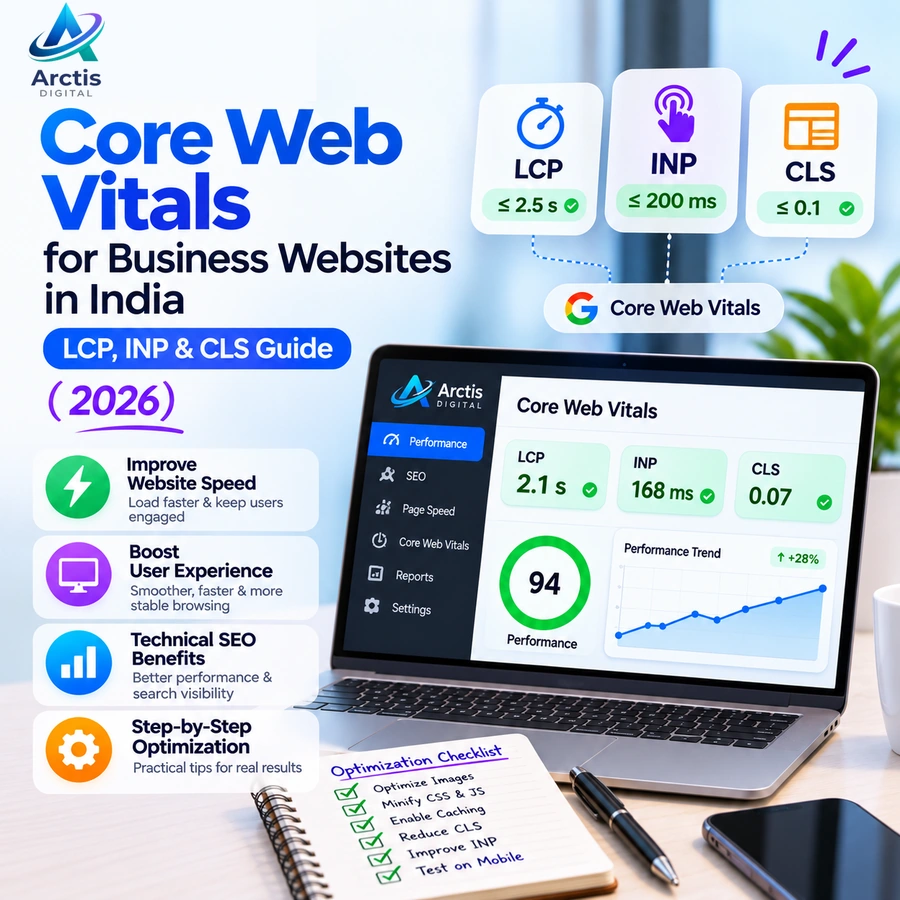
Core Web Vitals for Business Websites in India: LCP, INP & CLS Guide (2026)
A website can look attractive and still deliver a frustrating experience. Visitors may wait several seconds for the main content to appear, struggle with buttons that respond slowly, or accidentally click the wrong element because the page layout keeps shifting.
These problems affect how people interact with your business website. They can also make it harder for visitors to complete important actions such as submitting an enquiry, booking an appointment, or purchasing a product.
This is where Core Web Vitals become important.
Core Web Vitals are Google's user-experience measurements for loading performance, interactivity, and visual stability. They help website owners understand how real visitors experience their pages, particularly on mobile devices.
In this guide, we explain the three Core Web Vitals metrics — Largest Contentful Paint (LCP), Interaction to Next Paint (INP), and Cumulative Layout Shift (CLS). You will also learn how to test website performance using Google PageSpeed Insights, identify common problems, and apply practical website speed optimization techniques for Indian business websites.
Whether you run a small business website, an e-commerce store, or a custom web application, understanding these measurements can help you build a faster and more usable website.
What Are Core Web Vitals?
Core Web Vitals are a set of performance metrics developed by Google to measure important aspects of real-world user experience.
They focus on three main areas:
- Loading performance: How quickly the main content becomes visible.
- Interactivity: How quickly the website responds when someone interacts with it.
- Visual stability: Whether page elements remain in their expected positions while the page loads.
Google currently uses three Core Web Vitals metrics:
- Largest Contentful Paint (LCP).
- Interaction to Next Paint (INP).
- Cumulative Layout Shift (CLS).
These measurements are evaluated using real-user data, with the 75th percentile used to assess whether the experience is good for the majority of visitors.
A page should meet the recommended good thresholds for all three metrics to pass the Core Web Vitals assessment.
Core Web Vitals Thresholds in 2026
Understanding the recommended thresholds is the first step towards improving website performance.
1. Largest Contentful Paint (LCP)
Good: 2.5 seconds or less
Needs Improvement: More than 2.5 seconds and up to 4 seconds
Poor: More than 4 seconds
Largest Contentful Paint measures how long it takes for the largest visible content element within the viewport to render.
This is often:
- A large hero image.
- A prominent banner.
- A main heading or text block.
- A featured product image.
- A large video poster image.
For example, imagine a visitor opens your business website on a mobile phone. The navigation appears immediately, but the main banner takes five seconds to load.
The visitor may see a mostly empty screen while waiting for the important content.
This indicates a potential LCP problem.
Common causes of poor LCP:
- Large, uncompressed images.
- Slow server response times.
- Render-blocking CSS and JavaScript.
- Poor image loading priorities.
- Excessive redirects.
- Heavy page elements.
- Inefficient hosting configuration.
How to improve LCP:
- Compress large images and serve appropriately sized versions.
- Use modern image formats such as WebP or AVIF where supported.
- Prioritize the main above-the-fold image.
- Avoid lazy-loading the main LCP image.
- Reduce unnecessary redirects.
- Improve server response time.
- Remove render-blocking resources where possible.
- Use caching and efficient resource delivery.
The goal is not simply to make every image smaller. It is to ensure that the most important visible content loads quickly.
2. Interaction to Next Paint (INP)
Good: 200 milliseconds or less
Needs Improvement: More than 200 milliseconds and up to 500 milliseconds
Poor: More than 500 milliseconds
Interaction to Next Paint measures how responsive a website feels when visitors interact with it.
It considers interactions such as:
- Clicking a navigation menu.
- Opening a dropdown.
- Submitting a form.
- Selecting a product option.
- Expanding an FAQ.
- Tapping a button on a mobile device.
For example, a customer clicks the Add to Cart button on an e-commerce website. If the browser takes too long to respond visually, the customer may click again or assume that something is broken.
INP replaced First Input Delay (FID) as a Core Web Vitals metric on 12 March 2024.
FID measured only the delay before the browser began processing the first interaction. INP provides a broader view of responsiveness throughout a visitor's interaction with the page.
Common causes of poor INP:
- Excessive JavaScript execution.
- Long-running main-thread tasks.
- Large JavaScript bundles.
- Unnecessary third-party scripts.
- Inefficient event handlers.
- Complex rendering operations.
- Heavy animations and interactive components.
How to improve INP:
- Identify long-running JavaScript tasks.
- Reduce unnecessary JavaScript execution.
- Split large JavaScript bundles where appropriate.
- Defer non-critical scripts.
- Optimize event handlers.
- Avoid expensive rendering operations during user interactions.
- Reduce unnecessary third-party widgets.
- Test interactive elements on mid-range mobile devices.
For React and other JavaScript-heavy websites, developers should also inspect component rendering, state updates, and expensive computations.
A website should not merely load quickly. It should also respond smoothly when visitors use it.
3. Cumulative Layout Shift (CLS)
Good: 0.1 or less
Needs Improvement: More than 0.1 and up to 0.25
Poor: More than 0.25
Cumulative Layout Shift measures unexpected movement of visible page elements during a visitor's experience.
Consider this situation:
You open a website and attempt to click a button. Suddenly, an advertisement loads above it, moving the button down the screen. You accidentally click a different link.
This is an example of a layout stability problem.
Common causes of poor CLS:
- Images without defined dimensions.
- Advertisements that load dynamically.
- Web fonts that change text appearance and layout.
- Content inserted above existing elements.
- Embeds without reserved space.
- Dynamic banners and promotional sections.
- Unstable page components.
How to improve CLS:
- Specify width and height for images and videos.
- Reserve space for advertisements and embedded content.
- Avoid inserting content above existing elements unexpectedly.
- Use suitable font-loading strategies.
- Keep dynamic content within reserved containers.
- Test pages while different elements are loading.
- Avoid animations that trigger unexpected layout movement.
A visually stable website makes navigation more predictable and reduces accidental interactions.
How to Check Core Web Vitals Using Google PageSpeed Insights
You do not need expensive software to begin checking your website's performance.
Google provides PageSpeed Insights, a free tool that analyzes individual web pages on mobile and desktop devices.
Follow these steps:
Step 1: Open Google PageSpeed Insights
Visit:
Enter the URL of the page you want to test.
For example, you can test your homepage, service page, blog post, or product page separately.
Step 2: Run the Performance Test
Select Analyze and allow the tool to generate the report.
PageSpeed Insights provides separate reports for mobile and desktop.
Always examine the mobile report. A website that performs well on a desktop computer may behave very differently on a mobile device.
Step 3: Review the Core Web Vitals Assessment
Check the assessment and inspect:
- Largest Contentful Paint.
- Interaction to Next Paint.
- Cumulative Layout Shift.
The report may also show First Contentful Paint (FCP) and Time to First Byte (TTFB), which can help diagnose loading problems.
Step 4: Review the Opportunities and Diagnostics
Scroll down to identify the issues affecting performance.
Common recommendations include:
- Properly size images.
- Efficiently encode images.
- Eliminate render-blocking resources.
- Reduce unused JavaScript.
- Reduce unused CSS.
- Serve static assets with an efficient cache policy.
- Reduce the impact of third-party code.
Do not blindly apply every recommendation. Investigate the underlying problem and determine whether the proposed change is appropriate for your website.
Step 5: Retest After Making Changes
After optimizing your website, run the test again.
Compare the results and verify that the changes have not broken important functionality.
Important: PageSpeed Insights contains both laboratory data and field data. Laboratory data is generated under controlled testing conditions and helps diagnose issues. Field data represents actual user experiences collected over a rolling period, when sufficient data is available.
A newly published page or a low-traffic website may not have enough field data for an individual URL. In that situation, PageSpeed Insights may display origin-level data or no field data.
How to Improve Website Speed and Core Web Vitals
Improving Core Web Vitals requires more than installing a caching plugin or compressing a few images.
The right approach depends on your website platform, hosting environment, codebase, and third-party integrations.
Here are practical optimization techniques.
1. Optimize Images Across Your Website
Images are frequently responsible for a significant portion of a webpage's transferred data.
Large banners, portfolio images, product galleries, and blog cover images can increase loading time when they are not optimized.
Recommended practices:
- Convert suitable images to WebP or AVIF.
- Resize images according to their display dimensions.
- Avoid uploading unnecessarily large source images.
- Use responsive image delivery.
- Compress images without visibly damaging their quality.
- Add explicit image dimensions.
- Lazy-load below-the-fold images.
Do not lazy-load the main hero image if it is the LCP element.
2. Enable Browser Caching
Browser caching allows supported website resources to be stored locally so returning visitors do not need to download everything again.
Resources that may benefit from caching include:
- CSS files.
- JavaScript files.
- Fonts.
- Images.
- Static assets.
Configure cache headers according to the type of resource.
For versioned static files, longer cache durations may be suitable. Frequently changing content should use appropriate cache rules to prevent visitors from receiving outdated information.
3. Reduce Unnecessary JavaScript and CSS
Websites often accumulate scripts and stylesheets that are no longer required.
Examples include:
- Unused libraries.
- Old plugins.
- Multiple animation packages.
- Unnecessary tracking scripts.
- Duplicate functionality.
- Unused CSS rules.
Removing unnecessary code can reduce page weight and improve responsiveness.
For React applications, techniques such as code splitting, lazy loading of non-critical components, and avoiding unnecessary component renders can help.
4. Improve Server Response Time
Your hosting environment plays an important role in website performance.
A slow server can delay the delivery of HTML and other important resources.
Consider the following:
- Review server resource usage.
- Use an appropriate hosting plan.
- Optimize database queries.
- Enable supported server-side caching.
- Review PHP or application runtime configuration.
- Reduce unnecessary server requests.
- Check DNS and redirect configuration.
Shared cPanel hosting can be suitable for many small business websites, but it is not automatically suitable for every application.
If a website consistently reaches its hosting resource limits, upgrading the hosting plan or changing the architecture may be necessary.
For more information, read our guide on cPanel hosting for small businesses in India.
5. Use a Content Delivery Network When Appropriate
A Content Delivery Network (CDN) distributes eligible website resources through servers located in different geographical regions.
This can reduce delivery latency for visitors who are far away from the origin server.
A CDN may be useful for:
- Image-heavy websites.
- E-commerce stores.
- Websites serving visitors across multiple regions.
- Websites with substantial static content.
However, a CDN does not automatically solve every performance problem. It cannot compensate for poorly optimized JavaScript, an inefficient database, or a slow application backend.
6. Optimize Web Fonts
Custom fonts can affect both loading performance and visual stability.
Recommended practices include:
- Load only the font weights you actually use.
- Avoid loading unnecessary font families.
- Use suitable font formats.
- Preload critical fonts only when appropriate.
- Configure font-display carefully.
- Provide sensible fallback fonts.
Too many font files can increase page weight and delay text rendering.
7. Reduce Third-Party Scripts
Many business websites integrate external tools such as:
- Live chat widgets.
- Analytics scripts.
- Advertising pixels.
- Social media embeds.
- Marketing automation.
- Maps and video embeds.
Each integration can introduce additional network requests and JavaScript execution.
Review every external script and ask whether it is necessary.
Load non-critical functionality only when needed, and make sure tracking scripts respect applicable consent requirements.
8. Optimize Mobile Performance
A website should be tested on more than a powerful desktop computer.
Many Indian visitors access business websites through mobile devices and variable network connections.
Check:
- Whether the main content appears quickly.
- Whether images are appropriately sized.
- Whether navigation responds smoothly.
- Whether forms work correctly.
- Whether buttons are easy to tap.
- Whether the layout remains stable.
- Whether the website remains usable on slower connections.
Testing on an actual mid-range Android device can reveal problems that desktop testing misses.
Core Web Vitals for Different Website Types
Not every website has the same performance requirements.
Business and Corporate Websites
Business websites should prioritize:
- Fast-loading homepage sections.
- Optimized hero images.
- Lightweight navigation.
- Responsive contact forms.
- Efficient third-party scripts.
- Stable layouts.
The main objective is to help visitors understand the business and complete actions such as contacting the company or requesting a quotation.
E-Commerce Websites
E-commerce websites often contain product images, filters, carts, payment flows, and dynamic content.
Focus on:
- Product image optimization.
- Fast category and product pages.
- Responsive filters.
- Smooth cart interactions.
- Stable pricing and availability sections.
- Efficient checkout experiences.
A slow or unstable checkout can create unnecessary friction for customers.
For a broader understanding of e-commerce platforms, read our comparison of Shopify vs WooCommerce vs custom e-commerce websites.
WordPress Websites
WordPress performance can be affected by themes, plugins, page builders, hosting configuration, and third-party scripts.
Useful practices include:
- Removing unnecessary plugins.
- Using a well-maintained theme.
- Optimizing images.
- Enabling suitable caching.
- Updating software carefully.
- Reviewing plugin-generated CSS and JavaScript.
- Monitoring database performance.
Adding multiple optimization plugins without understanding their overlap can create conflicts rather than improvements.
React and Next.js Websites
Modern JavaScript applications have their own performance considerations.
Developers should review:
- JavaScript bundle size.
- Client-side rendering work.
- Server-side rendering and data-fetching strategy.
- Component rendering.
- Image loading priority.
- Font delivery.
- Hydration and interactive behavior.
- Third-party scripts.
Using a modern framework does not guarantee good Core Web Vitals. Implementation quality and the amount of work performed by the browser still matter.
Does Core Web Vitals Affect Google Rankings?
Yes, Core Web Vitals are used by Google's ranking systems as part of its broader consideration of page experience.
However, there is an important distinction: passing Core Web Vitals does not guarantee higher Google rankings.
Google considers many signals when determining which pages are most relevant and useful for a search query.
Content quality, relevance, search intent, technical accessibility, and other factors remain important.
For example, a website might have excellent loading performance but publish thin, unhelpful content. Good performance alone will not make that content the most relevant result.
Similarly, a page with useful and relevant information may still appear in search results even if some performance metrics need improvement.
Treat Core Web Vitals as an important part of technical SEO and user experience, not as a shortcut to ranking.
To understand how to monitor your organic search performance, read our Google Search Console guide for business websites.
Common Website Speed Optimization Mistakes
Some optimization attempts improve a laboratory score without improving the actual visitor experience.
Avoid these mistakes.
1. Chasing a Perfect PageSpeed Score
A score of 100 is not a business objective by itself.
Focus on real-user experience, functionality, and measurable improvements rather than making a number look perfect.
2. Installing Too Many Optimization Plugins
Multiple caching, image optimization, and script-management plugins can conflict with each other.
Use a deliberate configuration and test changes individually.
3. Lazy-Loading Every Image
Lazy loading is useful for images below the visible area, but delaying the main hero image can worsen LCP.
Prioritize important above-the-fold content.
4. Ignoring Mobile Performance
A desktop score does not represent the experience of every mobile visitor.
Always review mobile performance separately.
5. Removing Scripts Without Testing
Removing scripts can break analytics, forms, chat widgets, payment integrations, or other business functionality.
Test important customer journeys after every significant optimization.
6. Confusing Hosting Upgrades With Complete Optimization
Moving to a more expensive hosting plan may improve server response time, but it does not automatically fix oversized images, heavy JavaScript, or layout shifts.
Identify the bottleneck before spending more on infrastructure.
A Practical Core Web Vitals Optimization Checklist
Use this checklist when reviewing your business website.
Loading Performance (LCP)
- Test the main pages using PageSpeed Insights.
- Identify the largest visible content element.
- Compress and resize images.
- Prioritize the main hero image.
- Review server response time.
- Reduce render-blocking resources.
- Enable suitable caching.
Interactivity (INP)
- Review long-running JavaScript tasks.
- Reduce unnecessary JavaScript.
- Optimize event handlers.
- Check navigation and dropdown responsiveness.
- Test forms and interactive components.
- Review third-party scripts.
- Test on mid-range mobile devices.
Visual Stability (CLS)
- Specify image dimensions.
- Reserve space for advertisements and embeds.
- Review font loading behavior.
- Avoid unexpected content insertion.
- Test dynamic banners and pop-ups.
- Check layout stability during loading.
General Performance and SEO
- Check mobile and desktop separately.
- Review the Core Web Vitals report in Google Search Console.
- Check HTTPS and redirect behavior.
- Review unnecessary plugins and integrations.
- Test important enquiry and checkout journeys.
- Record performance changes after optimization.
- Schedule regular performance reviews.
How Often Should You Monitor Core Web Vitals?
Website performance is not a one-time task.
New plugins, updated frameworks, additional scripts, larger images, design changes, and increased traffic can introduce new performance issues.
A practical monitoring routine can look like this:
After major website changes: Run PageSpeed Insights on affected pages and test important user journeys.
Monthly: Review important landing pages, homepage performance, and available Search Console Core Web Vitals reports.
Quarterly: Review the website's overall technical performance, hosting usage, third-party scripts, and optimization priorities.
After hosting or infrastructure changes: Retest server response, caching behavior, and real-user performance as sufficient data becomes available.
For a broader maintenance routine, see our website maintenance checklist for small businesses in India.
Frequently Asked Questions
What are Core Web Vitals in SEO?
Core Web Vitals are Google's user-experience metrics that measure loading performance, interactivity, and visual stability. They consist of LCP, INP, and CLS and are used by Google's ranking systems as part of page experience.
What is a good Core Web Vitals score in 2026?
A page should achieve an LCP of 2.5 seconds or less, an INP of 200 milliseconds or less, and a CLS of 0.1 or less. These thresholds are assessed at the 75th percentile of real-user experience.
How can I check Core Web Vitals for my website?
You can use Google PageSpeed Insights to test individual pages on mobile and desktop. Google Search Console also provides a Core Web Vitals report for eligible websites with sufficient real-user data.
Does website speed directly affect Google rankings?
Core Web Vitals are used by Google's ranking systems, but they are not a guarantee of higher rankings. Google considers many signals, including relevance and content usefulness. Website speed should be improved primarily to provide a better user experience.
What is the difference between LCP, INP, and CLS?
LCP measures how quickly the main visible content loads. INP measures how quickly a page responds to user interactions. CLS measures unexpected movement of visible page elements during loading and interaction.
Can cPanel hosting affect Core Web Vitals?
Yes. Hosting configuration, server response time, resource limits, caching, and application performance can influence website loading behavior. However, Core Web Vitals are affected by frontend implementation and other resources as well, so changing hosting alone may not solve every problem.
Does a high PageSpeed score mean my website will rank first?
No. A high PageSpeed score does not guarantee first-page rankings. PageSpeed Insights provides performance diagnostics, while Google Search considers many other ranking signals and the relevance and usefulness of the page.
Is a CDN necessary for every business website?
No. A CDN can help distribute static resources efficiently, particularly for geographically distributed audiences. A small website serving a limited audience may not need one. The decision should depend on traffic, infrastructure, resource delivery, and performance requirements.
Can WordPress websites pass Core Web Vitals?
Yes. WordPress websites can achieve good Core Web Vitals with suitable themes, optimized images, efficient plugins, caching, and good hosting. The result depends on implementation and the actual experience of visitors.
Final Thoughts
Core Web Vitals are an important part of building a website that performs well for real visitors.
A fast website is not simply one that loads a homepage quickly. It should also respond smoothly to interactions, maintain a stable layout, and provide a consistent experience across desktop and mobile devices.
Start by measuring your website using Google PageSpeed Insights. Identify whether LCP, INP, or CLS needs attention, prioritize the biggest issues, and test the results after every meaningful change.
Remember that a perfect performance score is not the ultimate goal. The objective is to create a website that loads efficiently, works reliably, and helps visitors complete the actions that matter to your business.
At Arctis Digital, we provide web development, SEO, website maintenance, and hosting-related services to help businesses establish and maintain their online presence.
If your website needs performance improvements, technical optimization, or a more reliable development approach, explore our services or contact Arctis Digital to discuss your requirements.
Further Reading and Official Resources
- Google Search Central: Understanding Core Web Vitals
- Google PageSpeed Insights
- Google Developers: About PageSpeed Insights
- web.dev: Web Vitals
- web.dev: Optimize Largest Contentful Paint
- web.dev: Optimize Interaction to Next Paint
- web.dev: Optimize Cumulative Layout Shift
- Google Search Central: Understanding Page Experience