Google Ads & Meta Ads Lead Tracking: How to Measure Real Leads in India (2026 Guide)
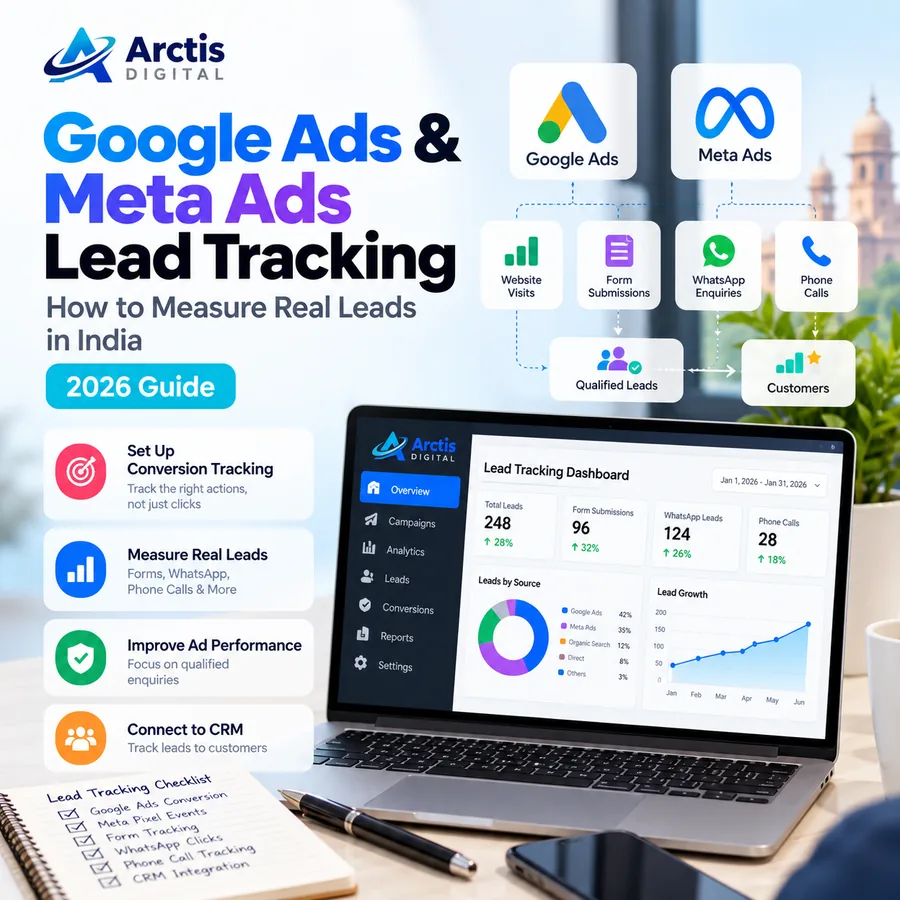
Running Google Ads or Meta Ads can bring visitors to your website, phone calls, and WhatsApp enquiries. But there is a difference between receiving clicks and generating business.
A person who clicks a WhatsApp button has not necessarily sent a message. A person who taps a phone number has not necessarily completed a call. A visitor who opens an enquiry form has not necessarily submitted it. And a submitted enquiry is not automatically a qualified lead or a paying customer.
This is why Google Ads and Meta Ads lead tracking should measure the complete journey, not just the first interaction. For small businesses in India, that often means connecting website forms, phone enquiries, WhatsApp conversations, and sales outcomes to the campaigns that introduced the customer.
In this guide, we explain what to track, how Google Analytics 4 (GA4), Google Tag Manager, Google Ads conversion tracking, Meta Pixel, and the Conversions API fit together, and how to evaluate the quality of leads instead of relying only on cost per click or cost per lead. If you also want to improve the pages and customer journeys that turn visitors into enquiries, read our website conversion strategies guide.
What Is Lead Tracking in Digital Advertising?
Lead tracking is the process of recording how a potential customer discovers your business, contacts you, moves through your sales process, and eventually becomes a customer.
For example, a local service business may receive enquiries through:
- A contact form on its website.
- A click on a WhatsApp button.
- A phone call from an advertisement.
- A tap on a phone number displayed on its website.
- A lead form submitted inside Facebook or Instagram.
- A booking or appointment request.
A useful tracking setup records these actions separately. It should also connect them to a source such as Google Search, Facebook, Instagram, or a particular advertising campaign where the available data allows it.
Google Ads calls a valuable action that an advertiser chooses to measure a conversion action. Examples include a website form submission, purchase, or phone call. Google supports several conversion sources, including website actions and calls. Read Google's explanation of conversion actions.
The Most Important Difference: Click, Enquiry, Qualified Lead, and Customer
Before configuring any tracking tools, decide what each business outcome means. These stages should not be counted as if they are interchangeable.
1. Ad Click
A person clicks a Google Search ad, Facebook ad, or Instagram ad. This is an advertising interaction, not a lead.
2. Contact Intent
The visitor taps a WhatsApp button, clicks a phone number, opens an enquiry form, or starts a booking flow. This is a useful signal of interest, but it does not prove that a conversation or enquiry was completed.
3. Enquiry Received
The business actually receives a valid form submission, phone call, WhatsApp message, or lead form entry. This is closer to a genuine lead and should be recorded separately from a click.
4. Qualified Lead
The business reviews the enquiry and confirms that it fits its service, location, budget, timeline, or other relevant criteria. A spam message or an irrelevant enquiry should not be treated as an equally valuable opportunity.
5. Customer or Sale
The lead purchases a product, signs a contract, books a paid service, or otherwise becomes a customer. This is the business outcome that ultimately matters.
The central principle is simple: do not report every button click as a confirmed lead. Track the stages separately so you can understand where enquiries are dropping out.
Which Tools Do You Need for Lead Tracking?
You do not need every marketing tool available. Start with the tools that match your website and advertising channels.
Google Analytics 4 (GA4)
GA4 helps measure activity across your website and app. It can show where visitors arrive from and which events they trigger. Important actions can be marked as key events in Analytics. For lead generation, Google's recommended event list includes generate_lead for a form submission or request for information. It also includes later-stage events such as qualify_lead, working_lead, and close_convert_lead for businesses that measure the lead lifecycle.
These events require implementation; they are not automatically sent just because GA4 is installed. See Google's recommended events for GA4.
Google Tag Manager (GTM)
Google Tag Manager provides an interface for managing measurement tags and triggers. It can help deploy GA4 events, Google Ads conversion tags, and other supported marketing tags without manually editing the website every time a tag changes.
Before adding new tags, inspect what is already installed. Duplicate Google tags or multiple tracking scripts can cause events to fire more than once. Google's tag configuration guidance recommends reviewing existing tags and using tools such as Tag Assistant and Google Tag Manager Preview mode to inspect what fires.
Google Ads Conversion Tracking
Google Ads conversion tracking measures actions you define as valuable to your campaign, such as a successful form submission, a purchase, or a phone call. These conversion actions can help you understand which campaigns are generating meaningful outcomes and provide signals for conversion-based bidding.
Google Ads can also track certain website button or link clicks as conversions. However, the event should be named and interpreted honestly. For example, a click on a WhatsApp link is evidence that someone opened or attempted to open WhatsApp; it does not confirm that a message was sent. See Google's guide to tracking website clicks as conversions.
Meta Pixel
The Meta Pixel is a browser-based measurement tool used to record supported actions on your website, such as page views, leads, and purchases. The events should fire when the relevant action actually happens, not simply because a visitor loads a page.
For example, a Lead event should be connected to a successful lead action. It should not fire on every page view or when someone merely opens a form. Meta Blueprint provides a technical implementation overview of the Meta Pixel.
Meta Conversions API
The Meta Conversions API allows a business to share eligible events from its server or connected business systems with Meta. It can complement browser-based Pixel events, and CRM integrations can help send lead-quality outcomes rather than reporting only the number of initial enquiries.
Meta Blueprint explains how businesses can connect CRM data through the Conversions API for CRM to improve lead quality measurement.
A CRM or a Consistent Lead Register
A CRM helps store each enquiry, source, campaign, contact status, qualification result, and sales outcome. A small business can begin with a well-maintained lead register if it does not yet need a full CRM, but the process must be consistent.
At minimum, record:
- Date and time the enquiry arrived.
- Contact channel: form, phone, WhatsApp, or instant lead form.
- Source and campaign, where known.
- Service or product requested.
- Lead status: new, contacted, qualified, disqualified, won, or lost.
- Reason for disqualification or loss, where useful.
- Revenue or expected value when a sale is completed.
Avoid storing unnecessary personal information. Restrict access to customer records and use appropriate privacy notices, consent, and data-handling practices for the tools and markets in which you operate.
How to Track Website Form Submissions Correctly
Website forms are often the clearest starting point for lead tracking because the business controls the form and can define what counts as a successful submission.
A reliable setup should follow this sequence:
- A visitor completes the required fields.
- The website validates the information.
- The form is successfully accepted by the server or form service.
- The website displays a success state or redirects to a confirmation page.
- The tracking event fires once for that successful submission.
Do not trigger a generate_lead or advertising conversion merely when someone clicks the Submit button. The visitor may leave required fields blank, fail validation, lose connectivity, or encounter a server error.
For websites that use AJAX or React forms, a successful submission may not load a separate thank-you page. In that case, the developer should trigger the measurement event from the confirmed success response or a deliberate data-layer event. The event should not fire when the request fails. Keep the website environment maintained as well: our guides to cPanel hosting and website maintenance cover hosting, backups, and routine website checks.
Test the form on desktop and mobile. Confirm that the business receives the enquiry and that the measurement event appears in the relevant testing tools. If one successful submission appears two or three times, investigate duplicate listeners, tags, plugins, and page reload behavior. The landing page itself matters too: our website vs. landing page guide explains how to choose a page structure for a specific campaign goal.
How to Track WhatsApp Clicks and Actual WhatsApp Leads
WhatsApp is an important contact channel for many Indian businesses. It is convenient for customers, but measuring it requires care because the conversation takes place outside the website.
Track the Website WhatsApp Button Click
If your website has a WhatsApp button, you can record a click event when someone selects it. A descriptive event name such as whatsapp_click can help distinguish this action from a form submission.
Where possible, record useful non-personal context such as:
- The page where the button appeared.
- Whether it was in the header, footer, or floating contact widget.
- The campaign or source information available to the analytics setup.
- The link destination type.
This event measures the handoff from the website to WhatsApp. It does not prove that the visitor sent a message, received a reply, or became a lead.
Record the Conversation That Actually Starts
To measure real WhatsApp enquiries, the business needs a process for recording incoming messages. This may involve WhatsApp Business tools, a team inbox, a CRM, or an integration with the WhatsApp Business Platform.
A pre-filled message can help a team identify the context of an enquiry, for example, a short reference such as “Website enquiry” or a campaign-specific label. The sales team should still confirm that a genuine message was received and record its source accurately.
Track Click-to-WhatsApp Ads
When a person starts a conversation from a Click-to-WhatsApp advertisement, the WhatsApp Business Platform integration or messaging provider may expose referral information about the originating ad. For example, webhook integrations can provide ad referral fields and a click identifier such as ctwa_clid, where supported.
This is an advanced setup. It generally requires a supported WhatsApp Business Platform connection, webhook or provider integration, and a process for saving the referral information with the conversation. A normal website WhatsApp button does not provide the same level of conversation attribution by itself. See Twilio's documentation for incoming WhatsApp messages and Click-to-WhatsApp referral data.
The important distinction is:
whatsapp_click: a person clicked a website link to open WhatsApp.whatsapp_message_received: the business received an actual message, if the system can reliably record it.qualified_lead: the business reviewed the conversation and accepted it as a suitable opportunity.customer_won: the enquiry resulted in a sale.
Do not merge all four stages into one conversion number.
How to Track Phone Calls and Phone-Number Clicks
Phone tracking also has more than one level.
Track a Tap on a Phone Number
A mobile visitor may tap a tel: link on your website. You can record this as a phone_click event. It shows that the visitor attempted to initiate a call from the page.
It does not confirm that the call connected, how long it lasted, or whether it resulted in a sales conversation.
Track Actual Calls
Google Ads provides call conversion options for eligible call interactions, including calls from ads and calls to a number on a website. The available setup depends on the campaign, country, account, and call-reporting configuration. Google also distinguishes a click on a mobile phone number from an actual phone call. Review Google's phone-call conversion guidance before choosing the measurement method.
If calls are important to the business, maintain a call log or use a suitable call-tracking system. Record the source when it can be identified, the call outcome, and whether it became a qualified opportunity. Follow applicable privacy requirements and tell callers about recording when call recording is used.
How to Connect GA4, Google Ads, and Meta Ads
These platforms serve different purposes. They should share a consistent definition of what counts as a lead, but their reported numbers may not be identical.
Step 1: Define Your Conversion Events
Write down the important customer actions before setting up tags. For a typical service business, these might include:
generate_lead: a successfully received website enquiry.whatsapp_click: a click on a website WhatsApp link.phone_click: a click on a phone-number link.call_connected: an actual connected call, if your call-tracking setup can measure it.qualify_lead: a lead accepted by the sales team.close_convert_lead: a lead that became a customer.
Use recommended GA4 event names where they match the action and follow Google's event specifications. Custom events can be used for actions that do not have an appropriate recommended event.
Step 2: Check the Existing Tag Setup
Before installing another Pixel or Google tag, review the website's existing code and tag configuration. Identify whether GA4 is installed directly, through Google Tag Manager, or through a platform integration. Check for duplicate containers and duplicate Pixel installations.
Use Google Tag Manager Preview and Tag Assistant to verify which tags fire and when. A tag that fires on every page load should not be used for an action that should happen only after a successful enquiry.
Step 3: Configure Google Ads Conversion Actions
Create or review a separate conversion action for each meaningful outcome you want to measure. Keep successful form submissions separate from phone calls and other contact actions. Decide which actions should be used for bidding optimization and which should remain secondary observations.
For example, a successful form submission may be a primary lead conversion, while a WhatsApp button click may be a secondary signal until the business can confirm that it represents a real conversation.
Avoid counting the same form submission twice by importing the same GA4 event and also firing a direct Google Ads tag without understanding how the actions are configured.
Step 4: Configure Meta Pixel Events
Install and verify the Meta Pixel, then connect the correct events to the actions that matter. A Lead event should represent an actual lead action, not a page view or a button click that may not result in an enquiry.
If you use both browser Pixel events and server-side Conversions API events for the same action, configure event deduplication according to Meta's current documentation. Matching event names and event identifiers are important when the same action is sent through both sources. Without correct deduplication, reports can count the same event more than once.
Step 5: Link Your Lead Records to Campaign Sources
Use campaign naming conventions and suitable tracking parameters to identify where traffic came from. For example, use consistent source, medium, campaign, and creative labels for Meta campaigns and other traffic sources.
Google Ads auto-tagging can append click identifiers for attribution. Avoid removing or overwriting auto-tagging parameters when editing destination URLs. For campaigns where manual UTMs are appropriate, use consistent lowercase naming and avoid placing names, phone numbers, email addresses, or other personal data inside URLs.
Step 6: Connect Lead Quality Back to Advertising
The initial enquiry is not always the final business outcome. If a CRM is available, record which leads were contacted, qualified, disqualified, and converted into customers.
Where supported and properly configured, businesses can send eligible quality or sales outcomes back to advertising platforms through supported offline conversion or CRM integrations. Meta Blueprint describes using Conversions API for CRM to help optimize toward qualified leads rather than only lead volume.
This is more advanced than counting website clicks. It requires reliable lead records, appropriate data permissions, and a technical integration. Do not upload customer data unless you understand the platform requirements and have an appropriate privacy and consent process.
Why Google Ads, Meta Ads, and GA4 May Show Different Numbers
Different platforms do not necessarily use identical attribution rules, reporting windows, event definitions, or counting methods. Consent choices, browser restrictions, ad blockers, cross-device journeys, and duplicate tags can also affect what each platform records.
For that reason, do not assume that Google Ads, Meta Ads, and GA4 must always show exactly the same conversion total.
Instead, investigate differences systematically:
- Confirm that each platform is measuring the same event definition.
- Compare the same date range and time zone.
- Check whether the platforms use different attribution settings or lookback windows.
- Inspect whether an event is firing more than once.
- Check whether the form, phone, and WhatsApp actions are all represented.
- Review consent settings and tag behavior.
- Compare platform reports with actual leads recorded by the business.
Use each ad platform to understand its own campaign delivery and attribution. Use GA4 to analyze website behavior across channels. Use your CRM or lead register to establish what the business actually received and which enquiries became customers. For a separate view of organic search performance, see our Google Search Console guide.
Metrics That Matter More Than Clicks
A campaign can produce many inexpensive clicks without producing useful business enquiries. Track the full path rather than judging performance by one metric.
Click-Through Rate (CTR)
CTR is the percentage of impressions that resulted in clicks. It helps evaluate whether an ad attracts attention, but it does not show whether those clicks became enquiries.
Cost Per Click (CPC)
CPC is advertising spend divided by clicks. It describes the cost of attracting traffic, not the cost of acquiring a customer.
Lead Conversion Rate
Lead conversion rate can be calculated as:
Number of valid leads ÷ Number of relevant visits or clicks × 100
Be consistent about the denominator. A website-visit conversion rate and a click-to-lead conversion rate are not the same measure.
Cost Per Lead (CPL)
CPL is advertising spend divided by the number of valid leads received. State clearly whether the count includes form submissions, phone enquiries, WhatsApp messages, or all channels.
Qualified Lead Rate
Qualified lead rate is:
Qualified leads ÷ Total valid leads × 100
This helps show whether campaigns are attracting the right type of enquiry.
Cost Per Qualified Lead
Cost per qualified lead is advertising spend divided by qualified leads. It can be more useful than a low CPL when a business receives many irrelevant or unreachable enquiries.
Customer Acquisition Cost (CAC)
For a defined period and channel, CAC is the attributable acquisition cost divided by the number of new customers acquired. Be clear about which costs are included, such as advertising spend, agency fees, and sales expenses.
Return on Ad Spend (ROAS)
ROAS is attributed revenue divided by advertising spend. It is most meaningful when purchase values or closed-sale values are recorded accurately and attribution is understood. ROAS is not the same as profit because it does not automatically include product costs, salaries, taxes, or overhead.
Common Lead Tracking Mistakes to Avoid
Counting Every WhatsApp Click as a Lead
A click is a useful signal, but it is not proof that a message was sent. Record the click and the actual incoming conversation as separate stages wherever possible.
Firing a Lead Event on Every Page View
If a Lead event fires whenever someone loads a page, the platform may optimize for visitors rather than genuine enquiries. Trigger it only after the intended lead action succeeds.
Tracking the Submit Button Instead of a Successful Form
A button click can happen even when validation fails or the server rejects the submission. Fire the lead event after success is confirmed.
Installing Multiple Pixels or Tags
Duplicate tags can inflate event counts and distort campaign reporting. Audit the existing code and tag manager configuration before adding another measurement tool.
Ignoring Lead Quality
A campaign with a low cost per lead may still be unprofitable if the leads are irrelevant, unreachable, or unable to buy. Record qualification and sales outcomes.
Forgetting Mobile Testing
Many enquiries happen on mobile devices. Test WhatsApp links, phone links, forms, confirmation messages, and analytics events on real mobile browsers.
Ignoring Consent and Privacy
Use a privacy notice and consent approach appropriate to your business and audience. Configure tags to respect applicable user choices. Google Consent Mode is designed to communicate consent choices to supported Google tags; it does not remove the website owner's responsibility to obtain and communicate those choices. See Google's Consent Mode overview.
Do not put personal information into UTM parameters, page URLs, or event names. Limit who can access lead records and use approved platform integrations for any permitted first-party data sharing.
Pre-Launch Lead Tracking Checklist
Before spending money on a campaign, confirm the following:
- GA4 is installed once and records the intended website activity.
- Google Tag Manager or the chosen tag setup has been tested.
- Google Ads conversion actions represent the correct customer outcomes.
- Meta Pixel events fire on the correct actions.
- Successful forms are counted once, after acceptance.
- WhatsApp clicks are distinguished from actual WhatsApp messages.
- Phone-number clicks are distinguished from connected calls.
- CRM or lead-register records include source and lead status where known.
- Duplicate tags and duplicate conversion actions have been checked.
- Consent and privacy settings have been reviewed.
- Test submissions, calls, and contact links have been checked on mobile and desktop.
- The business knows who will review new leads and update their status.
Repeat key tests after a website redesign, form change, tag update, domain migration, or advertising-platform integration change.
Frequently Asked Questions
Can I track WhatsApp leads from Google Ads?
You can track clicks on website WhatsApp links as events or conversion actions. To know whether a real message or qualified enquiry was received, you need to record the conversation through your WhatsApp business workflow, CRM, or a supported integration. A website click alone cannot prove that the visitor sent a message.
Can Google Analytics 4 track WhatsApp messages?
GA4 can record a WhatsApp button click on your website when the event is implemented. It cannot automatically see the conversation inside the WhatsApp application. A separate business inbox, CRM, or supported messaging integration is needed to record the actual enquiry and its outcome.
Should a WhatsApp click be a primary conversion in Google Ads?
It depends on how the business handles enquiries and what other measurement is available. If the business can only measure the click, it may be useful as a secondary signal. If a supported integration can confirm a real conversation or qualified lead, that stronger outcome may be more suitable for optimization. Do not label a click as a confirmed lead.
What is the difference between GA4 and Google Ads conversion tracking?
GA4 measures website and app activity across traffic sources, and important events can be marked as key events. Google Ads conversion actions are used to measure valuable outcomes associated with advertising and can inform campaign optimization. The two systems work together when configured correctly, but their reports may differ because of their measurement and attribution settings.
Do I need Google Tag Manager to track conversions?
Not in every case. Tracking can be implemented through the Google tag, a website integration, or Google Tag Manager. GTM can make tags and triggers easier to manage, but the right method depends on the website, existing setup, and technical requirements.
What is the Meta Pixel used for?
The Meta Pixel records supported website events in the browser, helping a business measure actions taken after people interact with Meta ads. Events must be configured correctly and tested so that they represent real actions.
What is the difference between Meta Pixel and Conversions API?
The Pixel sends supported website events from the browser. The Conversions API allows eligible events to be sent from a server or connected business system. They can complement each other, but shared events need correct deduplication to avoid counting the same action twice.
Why are my ad platforms reporting more leads than my sales team received?
Possible reasons include counting button clicks as leads, firing events on page views, duplicate tags, invalid or spam submissions, attribution differences, and leads that were never followed up. Compare the advertising reports with actual form records, call logs, WhatsApp conversations, and CRM statuses.
Final Thoughts
Effective Google Ads and Meta Ads lead tracking is not about collecting the largest number of events. It is about measuring the right customer actions and understanding which campaigns generate enquiries that can become business.
Start by tracking successful website forms, phone interactions, and WhatsApp clicks separately. Then create a process to record actual conversations, qualify enquiries, and identify customers. Use GA4 for website analysis, Google Ads and Meta tools for their respective advertising measurements, and a CRM or consistent lead register for the business outcome.
When your tracking reflects what actually happens in the sales process, you can make better decisions about campaign budgets, landing pages, creatives, and follow-up.
Arctis Digital provides Google Ads Management, Meta Ads Management, website development, and digital marketing services. We can help businesses plan campaigns around measurable objectives and connect advertising activity to the website actions that matter.
Explore our services or contact Arctis Digital to discuss your advertising and conversion-tracking requirements.
Further Reading and Official Documentation
- Google Ads: Conversion action definition
- Google Ads: Track clicks on your website as conversions
- Google Ads: Measure calls from ads
- Google Analytics: Recommended events for GA4
- Google Tag Platform: Analyze existing tag configurations
- Google Tag Platform: Consent Mode overview
- Meta Blueprint: Technical implementation of the Meta Pixel
- Meta for Developers: Deduplicate Pixel and Conversions API events
- Meta Blueprint: Improve lead quality with Conversions API for CRM
- Twilio: Webhook data for incoming WhatsApp messages