
How to Create a High-Converting Website Quote Request Form: Fields, Design & Lead Routing (2026 Guide)
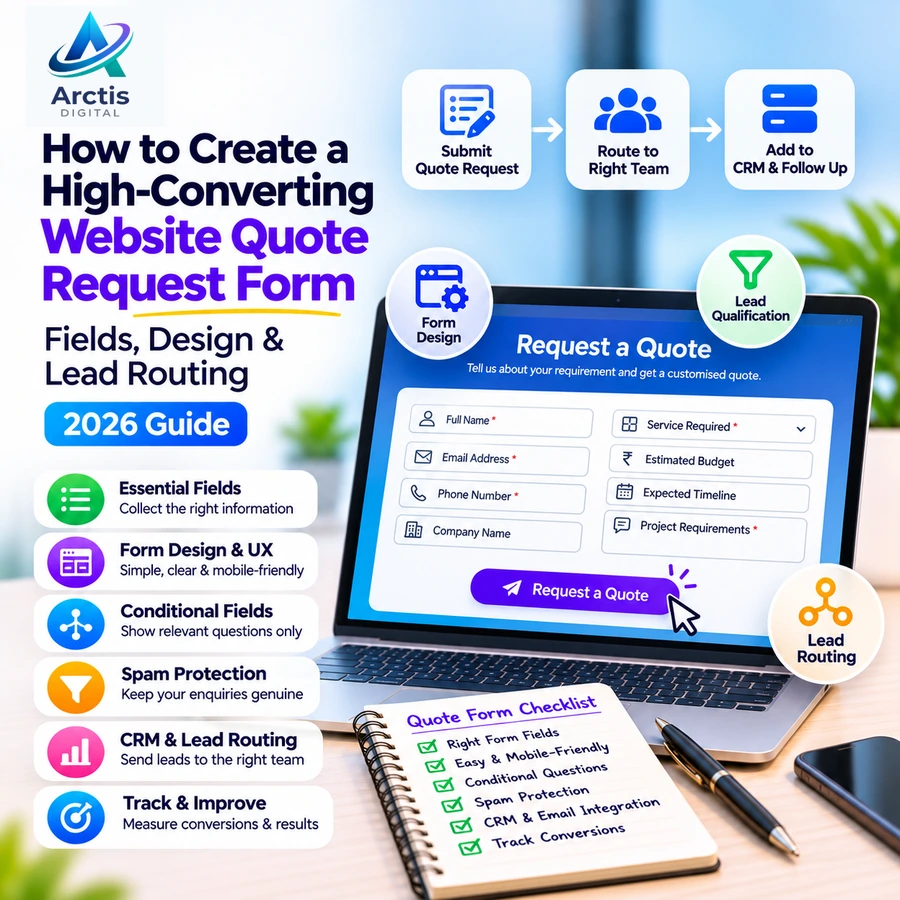
A visitor lands on your business website, explores your services, and decides to request a quotation. They click the enquiry button, open your form, and see fifteen mandatory fields asking for information they may not even have.
What happens next? They may leave without submitting anything.
This is a common problem with poorly designed business websites. A form should make it easy for potential customers to explain what they need, while giving your team enough information to respond appropriately.
A well-designed website quote request form can help businesses collect relevant enquiries, understand customer requirements, and organise their sales process more effectively.
However, adding more fields does not automatically produce better leads. The goal is to collect the right information without creating unnecessary friction.
In this guide, we explain how to design a quote request form, which fields to include, how to improve the user experience, and how to connect submissions with your business workflow.
1. What Is a Website Quote Request Form?
A website quote request form is an online form that allows potential customers to describe a product, service, or project and request an estimate from a business.
Unlike a basic contact form, which may only ask for a name and message, a quote request form collects information that helps the business understand the requirement.
For example, a visitor requesting a website development quotation might need to provide:
- Name and contact details.
- Business name.
- Type of website required.
- Approximate number of pages.
- Required functionality.
- Expected launch timeline.
- Estimated budget range.
This information helps the development team understand the project before arranging a detailed discussion.
Quote request forms are particularly useful for:
- Website development agencies.
- Digital marketing companies.
- Software development firms.
- Construction and interior design businesses.
- Manufacturers and wholesalers.
- Consultants and professional service providers.
- B2B service companies.
The form should reflect the actual sales process of the business rather than using the same generic fields for every industry.
2. Contact Form vs Quote Request Form: What Is the Difference?
These forms serve related but different purposes.
A contact form is designed to make communication easy. It generally collects basic details and allows visitors to send a question or message.
A quote request form is designed to understand a potential customer's requirements so that the business can evaluate the request and prepare an appropriate estimate.
When should you use a contact form?
Use a contact form when visitors might want to:
- Ask a general question.
- Request basic information.
- Report an issue.
- Contact your team.
- Discuss a possible collaboration.
When should you use a quote request form?
Use a quote request form when the business needs more information before preparing a proposal.
Examples include:
- Requesting a website development quotation.
- Asking for a custom software estimate.
- Requesting a digital marketing proposal.
- Enquiring about a bulk product order.
- Requesting a construction or renovation estimate.
A business can use both forms on the same website. The important thing is to make their purpose clear.
3. What Fields Should a Website Quote Request Form Include?
This is the most important part of form design.
A form should collect enough information to understand the requirement without making the visitor complete an unnecessarily long questionnaire.
There is no universal number of fields that guarantees better conversion. The appropriate length depends on the complexity of the service and what the business needs to know before responding.
Here are the most useful fields to consider.
1. Full Name
The customer's name helps your team address the enquiry professionally.
Use one name field unless there is a genuine business requirement to collect first and last names separately.
2. Email Address
An email address provides a way to send quotations, proposals, documents, and follow-up information.
Use basic email validation and show a clear error if the format is invalid.
3. Phone Number
For businesses operating in India, collecting a phone number can be useful because many customers prefer receiving a call or WhatsApp response.
However, do not force visitors to provide multiple contact methods unless the business genuinely needs them.
4. Company or Business Name
This field is particularly useful for B2B businesses.
It helps the sales team understand whether the enquiry comes from an individual, a startup, an established company, or another organisation.
Keep it optional if individual customers are also part of your target audience.
5. Service Required
Allow visitors to select the service they are interested in.
For a digital agency, possible options include:
- Website Design & Development.
- E-Commerce Website Development.
- Custom Software Development.
- Backend & API Development.
- Mobile App Development.
- SEO Services.
- Digital Marketing.
- Website Maintenance.
This field can also be used to route enquiries to the appropriate department or team member.
6. Project or Requirement Description
Provide a text area where visitors can explain what they need.
For example:
"Describe your project, current problem, or expected outcome."
This gives the business useful context that cannot always be captured through dropdowns.
Avoid asking customers to write a complete project specification before the first conversation.
7. Estimated Budget
Budget information can help a business understand the expected project scope and recommend an appropriate solution.
For example, a web development company could provide ranges such as:
- Below ₹10,000.
- ₹10,000–₹25,000.
- ₹25,000–₹50,000.
- ₹50,000–₹1,00,000.
- Above ₹1,00,000.
- Not sure yet.
These are illustrative ranges, not recommended pricing bands for every business.
Always include a "Not sure yet" option. Some potential customers may not know how much their requirement should cost.
8. Expected Timeline
Understanding the customer's expected timeline helps the business prioritise enquiries.
Possible options include:
- Immediately.
- Within 2–4 weeks.
- Within 1–3 months.
- More than 3 months.
- Just exploring.
Do not promise delivery dates based only on a dropdown selection. Confirm the scope before committing to a timeline.
9. Preferred Contact Method
Some customers prefer email, while others prefer a phone call or WhatsApp.
Providing a preferred contact option can make follow-up more convenient.
Only offer communication channels that your business actually monitors.
4. Customise Form Fields According to Your Business
A common mistake is using the same form for every service.
A customer requesting a business website does not need to answer the same questions as someone requesting an e-commerce platform or custom software.
The form should change based on the selected service.
Website Development Enquiry Form
Useful additional fields include:
- Website type.
- Number of required pages.
- Existing website URL, if available.
- Required features.
- Reference websites.
- Expected launch date.
For example, a visitor requesting an e-commerce website may need product management, payment gateway integration, shipping integration, and order management.
These requirements affect the project scope and quotation.
Custom Software Development Enquiry Form
Useful additional fields include:
- Business type.
- Problem the software should solve.
- Expected user roles.
- Required modules.
- Existing software or systems.
- Required integrations.
- Expected number of users.
A custom software enquiry may require a discovery discussion before a reliable estimate can be prepared.
Digital Marketing Enquiry Form
Useful additional fields include:
- Website URL.
- Industry or business category.
- Required marketing service.
- Current advertising channels.
- Monthly marketing budget.
- Primary business objective.
These details help the marketing team understand the business's current situation.
E-Commerce Website Enquiry Form
Useful additional fields include:
- Approximate product count.
- Required payment gateways.
- Shipping requirements.
- Product variants.
- Inventory management needs.
- Marketplace integrations.
The objective is to ask questions that help the business understand the project, not to collect every possible detail at the first interaction.
5. Use Conditional Fields to Keep Forms Short
Conditional fields allow a form to display additional questions based on the visitor's previous answers.
For example:
A visitor selects "Website Development".
The form then displays:
- Website type.
- Number of pages.
- Required features.
Another visitor selects "SEO Services".
The form displays:
- Website URL.
- Target location.
- Current SEO challenges.
This approach avoids showing irrelevant questions to every visitor.
It is particularly useful for agencies, consultants, software development companies, and businesses offering multiple services.
However, conditional forms should remain predictable. Visitors should understand why additional questions appear, and their previously entered information should not disappear when they change an answer.
6. Single-Step Form vs Multi-Step Form: Which Is Better?
There are two common approaches to designing a quote request form.
Single-Step Form
All fields appear on one page.
This works well when the form is relatively short and the visitor can understand the complete process immediately.
Advantages:
- Everything is visible at once.
- Visitors can review the required information.
- Implementation is relatively straightforward.
- Suitable for simple service enquiries.
Limitations:
- Long forms can look intimidating.
- Mobile users may need to scroll considerably.
- Complex forms can become difficult to organise.
Multi-Step Form
The form divides questions into smaller sections.
For example:
Step 1: Contact Information
Name, email, phone number.
Step 2: Project Requirements
Service type, description, and required features.
Step 3: Budget and Timeline
Estimated budget and expected launch date.
Step 4: Review and Submit
Visitors review their information and submit the request.
Advantages:
- Questions can be grouped logically.
- Complex forms may feel easier to navigate.
- Conditional questions can be organised more clearly.
Limitations:
- Additional navigation can create friction.
- Visitors may abandon the form if progress is unclear.
- Poor implementation can cause entered information to disappear.
Neither approach is universally better. Test the form with real visitors and measure the results before deciding.
7. How to Design a Quote Request Form That Visitors Actually Complete
Form functionality alone is not enough. The design and user experience matter too.
Keep the Layout Simple
Use clear headings, readable labels, sufficient spacing, and a logical field order.
Avoid unnecessary animations, decorative elements, and distracting content around the form.
Use Clear Field Labels
Do not rely only on placeholder text.
A label such as "Business Email Address" should remain visible even after the visitor starts typing.
This makes the form easier to understand and use.
Mark Required Fields Clearly
Visitors should know which fields are mandatory.
Do not make optional information appear compulsory.
Write Useful Error Messages
Avoid vague messages such as "Invalid input".
Instead, explain the problem:
- Please enter a valid email address.
- Please provide a phone number.
- Please select the service you need.
- The uploaded file exceeds the allowed size.
Preserve previously entered information when validation fails.
Make the Submit Button Specific
Instead of using a generic "Submit" button, consider:
- Request a Quote.
- Get My Estimate.
- Send Project Enquiry.
- Request a Consultation.
The button should clearly describe what happens next.
Make the Form Mobile-Friendly
Test the complete form on mobile devices.
Check:
- Field sizes.
- Dropdown usability.
- Keyboard behaviour.
- Button spacing.
- File uploads.
- Error messages.
- Page loading speed.
A form that looks good on a desktop may still be difficult to complete on a smaller screen.
For additional performance guidance, read our Core Web Vitals guide for business websites.
8. Build Trust Around the Quote Request Form
Visitors may hesitate to share their contact details if they do not know what will happen after submission.
Give them a clear reason to trust the process.
Consider adding:
A short explanation
Explain what happens after someone requests a quotation.
For example:
"Our team will review your requirements and contact you to discuss the next steps."
Real business information
Show your actual company name, contact details, and relevant business information.
A reasonable response expectation
If your team usually responds within one or two business days, communicate that honestly.
Do not promise an instant response if nobody is available to provide one.
A privacy notice
Explain how submitted information will be used and provide a link to your privacy policy.
If you collect optional marketing consent, keep it separate from the request itself.
A visitor asking for a quotation should not automatically be subscribed to promotional messages without an appropriate basis and consent where required.
9. Add Secure File Uploads When Your Business Needs Them
Some projects require additional documents before a quotation can be prepared.
Examples include:
- Website reference documents.
- Product specifications.
- Technical drawings.
- Project requirements.
- Existing quotations.
- Design references.
A file upload field can be useful, but it introduces additional security responsibilities.
Consider the following:
- Restrict permitted file types.
- Set an appropriate file-size limit.
- Validate files on the server.
- Use safe storage locations.
- Restrict access to authorised team members.
- Scan uploaded files for malware where appropriate.
- Define retention and deletion practices.
Do not trust the file extension alone. A secure implementation should validate uploads on the server and prevent uploaded files from being executed.
If customers need to upload confidential documents, use controlled access rather than exposing public file URLs.
For small enquiries, make attachments optional unless they are essential to evaluate the request.
10. Connect Form Submissions to Email, CRM, and Business Workflows
A quote request form should not become another disconnected source of customer information.
Once a visitor submits a request, the information should reach the people responsible for handling it.
A basic workflow could look like this:
- A visitor submits the quote request form.
- The backend validates the information.
- The submission is stored securely.
- An email notification is sent to the relevant team.
- The visitor receives a confirmation message.
- The enquiry is assigned to a responsible person.
- The sales team follows up.
For a more advanced workflow, connect the form to a CRM system.
This can help businesses:
- Maintain enquiry records.
- Assign leads to team members.
- Track enquiry status.
- Record follow-up activities.
- Identify missed enquiries.
- Understand which services generate demand.
For example, a website development enquiry can be assigned to the development team, while an SEO enquiry can be assigned to the marketing team.
For businesses with more complex requirements, custom backend development and API integrations can connect the website with existing business systems.
Read our guide on API Integration for Small Businesses in India to understand how these systems can communicate.
11. Prevent Spam Without Blocking Genuine Enquiries
Public forms can attract automated spam, fake enquiries, and unwanted submissions.
However, overly aggressive spam protection can also prevent genuine customers from completing the form.
Consider combining a few practical measures:
Server-side validation
Never rely exclusively on browser-side validation. Verify submitted data on the server before processing it.
Rate limiting
Limit repeated submissions from the same source within a defined period.
Honeypot fields
Use a hidden field that ordinary visitors do not interact with but simple automated bots may fill in.
CAPTCHA or alternative bot protection
Use a suitable bot-protection mechanism when spam becomes a problem. Test it on mobile devices to avoid creating unnecessary barriers.
Input sanitisation
Handle submitted information safely and prevent untrusted input from being interpreted as executable code or database instructions.
Duplicate detection
Where appropriate, identify repeated submissions without automatically rejecting legitimate customers who may need to send an updated enquiry.
The objective is to reduce abuse while keeping the form accessible to genuine visitors.
12. Track Quote Request Form Performance With Google Analytics 4
A business should not judge its form only by the number of submissions.
It should understand how visitors interact with the form and where they leave.
Google Analytics 4 can help measure form interactions through events such as:
form_startform_submit
You can also implement additional events for successful quote requests, depending on how your website processes submissions.
Google explains how businesses can measure form views, starts, and submissions through its GA4 lead generation documentation.
Important Metrics to Monitor
Form views
How many visitors reach the page containing the form?
Form starts
How many visitors begin interacting with it?
Successful submissions
How many submissions are actually accepted by the website?
Form abandonment
How many visitors start but do not complete the form?
Qualified enquiries
How many submissions contain relevant requirements and can realistically become business opportunities?
Response time
How quickly does your team respond to submitted enquiries?
Do not treat every button click as a completed lead.
For example, clicking "Request a Quote" is not the same as successfully submitting a form. Track the actual successful action.
Also, avoid sending personal information such as names, email addresses, or phone numbers to Google Analytics event parameters.
For more on measuring genuine enquiries, read Google Ads & Meta Ads Lead Tracking: How to Measure Real Leads in India.
13. Common Quote Request Form Mistakes to Avoid
Even a professionally designed website can lose enquiries because of small form-related problems.
Avoid these mistakes:
Asking too many questions
Collect only information that helps your team understand or process the request.
Making every field mandatory
Some details can be collected during the follow-up conversation.
Using generic field labels
Clear labels reduce confusion and help visitors understand what information is required.
Not explaining what happens after submission
Visitors should know whether they will receive an email, phone call, or quotation discussion.
Not testing mobile usability
A form must work properly on the devices your visitors use.
Not storing submissions
Email notifications alone should not be the only record of important enquiries. Store submissions in a reliable system where appropriate.
Ignoring failed notifications
A form may successfully save a submission while the notification email fails. Verify the complete workflow.
See our guide: Website Contact Form Not Sending Emails? Causes & Fixes.
Not monitoring lead quality
A form generating many irrelevant enquiries is not necessarily performing well.
14. Website Quote Request Form Launch Checklist
Before publishing a quote request form, review the following.
Form Structure
- The form has a clear purpose.
- Required fields are limited to essential information.
- Service-specific questions are included.
- Conditional fields work correctly where needed.
- The form explains what happens after submission.
User Experience
- Labels remain visible.
- Required fields are clearly identified.
- Error messages are understandable.
- Previously entered information is preserved after errors.
- The form works on mobile devices.
- The submit button clearly describes the action.
Security and Processing
- Server-side validation is implemented.
- Spam protection is configured.
- File uploads are restricted and secured where applicable.
- Customer information is handled appropriately.
- Submissions are stored reliably.
- Email notifications reach the correct team.
- Failed requests and notifications can be investigated.
Analytics and Follow-Up
- Form starts and successful submissions are measured.
- Analytics events are tested.
- Personal information is not sent to analytics.
- Enquiries are assigned to a responsible person.
- Response expectations are communicated.
- The complete submission and follow-up process has been tested.
Frequently Asked Questions
What should a website quote request form include?
A typical form should include the customer's name, email address, phone number, service required, and a description of the requirement. Depending on the business, it may also include company name, budget, timeline, and file attachments.
How many fields should a quote request form have?
There is no fixed number that works for every business. Use the minimum number of fields needed to understand and route the enquiry. More complex projects may need additional questions, while simple service requests should remain short.
Should I include a budget field in my quote request form?
A budget field can help businesses understand the expected project scope. However, make it optional or provide a "Not sure yet" option for customers who need guidance.
Is a multi-step quote request form better than a single-page form?
It depends on the complexity of the enquiry. A short form may work better as a single page, while a longer form can benefit from clearly organised steps. Test both approaches where possible.
Should I connect my website quote form to a CRM?
CRM integration can be useful when a business receives regular enquiries and needs to assign leads, track follow-ups, and manage sales activity. A basic email notification may be enough for a very small operation, but it becomes harder to manage as enquiry volume grows.
How can I prevent spam submissions?
Use server-side validation, rate limiting, honeypot fields, and suitable bot protection. Do not rely on a single technique, and make sure genuine visitors can still submit the form easily.
Can I create a quote request form without coding?
Yes. Many website platforms and form plugins provide ready-made form builders. Custom development becomes useful when you need conditional workflows, specialised calculations, secure file handling, CRM integration, or custom lead routing.
How do I know whether my quote request form is performing well?
Monitor form views, starts, successful submissions, abandonment, qualified enquiries, and response times. The goal is to generate useful business opportunities rather than simply increasing the number of form submissions.
Final Thoughts
A website quote request form is an important part of the customer journey.
It connects a visitor's interest with your business's ability to understand, evaluate, and respond to a requirement.
The best form is not necessarily the longest or the most visually complicated. It is the one that collects useful information, remains easy to complete, protects customer data, and delivers enquiries to the right people.
Start with the questions your team genuinely needs answered. Improve the form's layout, test it on mobile devices, connect it to a reliable enquiry-management process, and measure what happens after submission.
At Arctis Digital, we provide website development, UI/UX design, backend and API development, and custom software solutions to help businesses build functional digital experiences.
If your business needs a professional website, a customised enquiry form, or an integrated lead-management workflow, contact Arctis Digital to discuss your requirements.
Official and Technical References
- Google Analytics: How to Generate More Leads on Your Website
- Google Analytics for Developers: Set Up Events
- OWASP: File Upload Cheat Sheet
- MDN: Client-Side Form Validation
Related Guides From Arctis Digital
- How to Increase Website Leads in 2026
- Website Contact Form Not Sending Emails? Causes & Fixes
- API Integration for Small Businesses in India
- Google Ads & Meta Ads Lead Tracking: How to Measure Real Leads in India
- Core Web Vitals for Business Websites in India
- Website Maintenance Checklist for Small Businesses in India