
API Integration for Small Businesses in India: Examples, Use Cases & Security Checklist (2026)
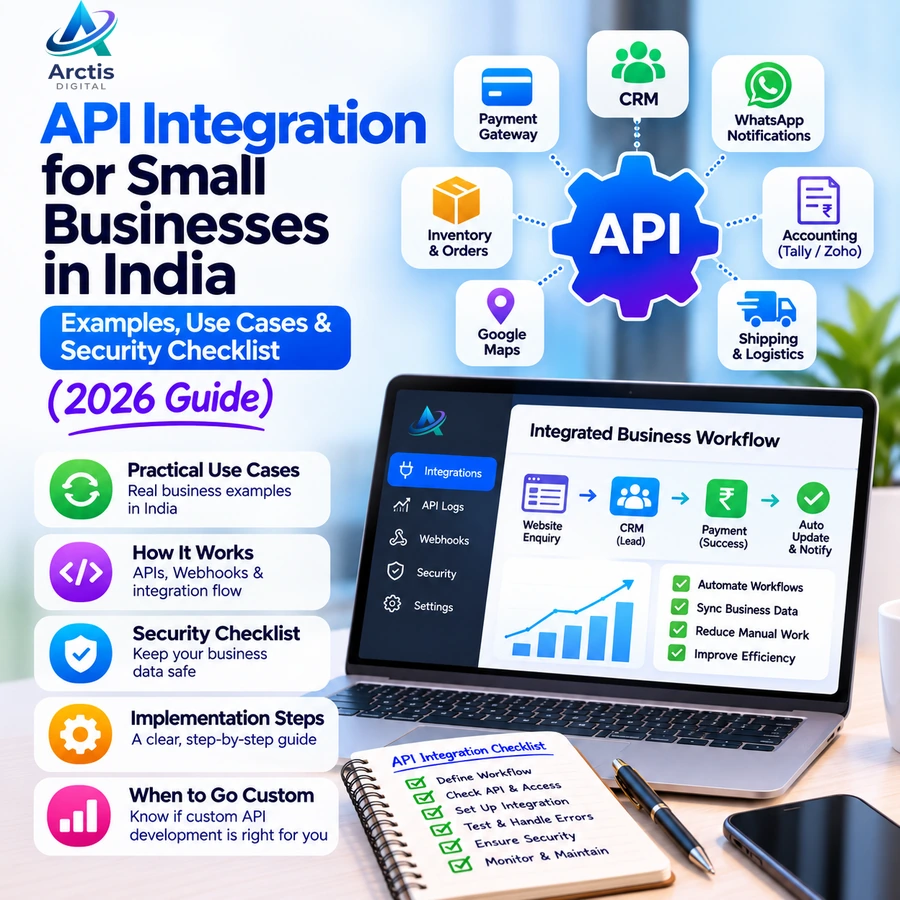
API Integration for Small Businesses in India: Examples, Use Cases & Security Checklist (2026)
Many businesses use multiple software tools to manage their daily operations. A website collects enquiries, a spreadsheet stores customer information, accounting software manages invoices, and a separate platform handles payments or inventory.
The problem begins when these systems do not communicate with each other.
Employees end up copying information manually, updating multiple records, checking payment statuses, and repeating the same tasks across different platforms.
This is where API integration for small businesses in India becomes useful.
API integration allows different applications to exchange information and perform actions automatically. Instead of operating as disconnected tools, your business software can work together through structured connections.
In this guide, we explain what API integration means, practical examples for Indian businesses, how APIs and webhooks work, implementation considerations, security requirements, and when custom API development is worth considering.
1. What Is API Integration?
API stands for Application Programming Interface.
An API is a defined interface that allows one software application to communicate with another application or service.
For example, imagine a customer purchases a product from your website.
Without integration, your team might need to:
- Check the new order.
- Open the payment gateway dashboard.
- Verify whether the payment was successful.
- Update the order status manually.
- Update inventory.
- Prepare the invoice.
- Notify the customer.
With properly implemented API integrations, several of these steps can happen automatically.
The website can communicate with the payment gateway, receive payment information, update the order in the backend, and trigger other connected workflows.
The goal is not to remove every human decision. It is to reduce repetitive data entry and make information available where it is needed.
2. How Does API Integration Work?
A typical API integration involves two or more applications exchanging information through defined requests and responses.
Consider a website connected to a CRM system.
The process might look like this:
- A visitor submits an enquiry on the website.
- The website sends the information to its backend.
- The backend validates the submitted information.
- The backend sends an authenticated API request to the CRM.
- The CRM creates a new lead.
- The website receives a response indicating whether the operation succeeded.
- The business can access the enquiry in its CRM.
The integration depends on the APIs exposed by the systems involved, their authentication requirements, data formats, and permissions.
What Is a Webhook?
A webhook is a mechanism through which one application sends an HTTP request to another application when a particular event occurs.
For example, a payment gateway can notify your website's backend when a payment is captured or fails.
This is useful because the receiving application does not need to continuously ask the payment gateway whether something has changed.
A typical workflow looks like this:
- A customer completes a payment.
- The payment provider generates an event.
- The provider sends a webhook notification to your backend.
- Your backend verifies the notification.
- The application updates the corresponding payment or order record.
APIs and webhooks are often used together. APIs can retrieve information or initiate actions, while webhooks can notify applications when events occur.
3. 8 Practical API Integration Examples for Small Businesses in India
API integration becomes easier to understand when you look at actual business workflows.
Here are eight practical examples.
1. Website Forms to CRM Integration
Businesses frequently receive enquiries through their websites.
Without integration, someone may need to copy each enquiry into a CRM or spreadsheet.
With a website-to-CRM integration:
- A visitor submits an enquiry.
- The backend processes the form.
- A new lead is created in the CRM.
- The lead source and submitted information are stored.
- The sales team can receive a notification.
This is especially useful for real estate agencies, consultants, educational institutions, travel businesses, and service providers.
It also reduces the risk of enquiries getting lost between the website and the sales team.
Related reading: Website Contact Form Not Sending Emails? Causes & Fixes.
2. Payment Gateway Integration
Online businesses often need to accept digital payments.
A payment gateway integration connects the website or application to a payment provider.
Examples of payment providers include Razorpay, Cashfree, PayU, and Stripe, subject to their availability and merchant requirements.
A typical payment workflow:
- The customer places an order.
- The backend creates a payment request.
- The customer completes payment through the payment provider.
- The backend verifies the payment status.
- The order is updated accordingly.
- The customer receives a confirmation.
An important security consideration is that a frontend success message alone should not be treated as proof of payment.
The backend should verify payment status using the provider's documented verification mechanism. Webhook signatures must also be validated before acting on incoming payment events.
3. CRM and WhatsApp Integration
Many Indian businesses communicate with customers through WhatsApp.
Connecting a CRM with an approved WhatsApp Business messaging integration can help businesses manage communication more systematically.
Possible workflows include:
- Sending enquiry acknowledgements.
- Sending appointment reminders.
- Sharing order updates.
- Notifying sales representatives about new leads.
- Recording communication events in customer records.
However, WhatsApp integration requires the appropriate business platform, permissions, templates where applicable, and compliance with WhatsApp's messaging policies.
A normal WhatsApp click-to-chat link is not the same as a full WhatsApp Business Platform integration.
4. Accounting Software and Payment Integration
Businesses often maintain payment information separately from their accounting records.
An integration can help transfer relevant transaction information into accounting software.
For example:
- A payment is successfully received.
- The application records the transaction.
- The accounting system receives the relevant payment information.
- The invoice status can be updated.
- Reconciliation becomes easier.
Accounting tools such as Tally and Zoho Books may support integration through APIs, connectors, or other supported methods.
The exact workflow depends on the software edition, available APIs, and accounting requirements.
5. E-Commerce and Inventory Integration
An e-commerce business may sell products through its website and other marketplaces.
If inventory is maintained separately across platforms, stock information can become inconsistent.
An integration can synchronise:
- Product information.
- Stock quantities.
- Order details.
- Order fulfilment status.
- Product pricing, where supported.
For example, when a product is purchased through an online store, the inventory system can receive the order information and update the available stock.
This becomes particularly useful for businesses managing multiple sales channels.
6. Shipping and Logistics Integration
Online stores often depend on courier and logistics providers to deliver orders.
Shipping API integrations can connect an e-commerce platform with services such as Shiprocket and supported courier partners.
Depending on the provider's API, the integration may support:
- Creating shipment requests.
- Generating shipping labels.
- Retrieving tracking information.
- Updating shipment status.
- Managing delivery-related notifications.
This reduces the need to manually transfer order information between the store and logistics platform.
7. Google Maps and Location Integration
Businesses that provide location-based services may benefit from mapping APIs.
Examples include:
- Showing business locations on a website.
- Displaying nearby branches.
- Calculating routes.
- Providing location-based search.
- Supporting delivery or service-area workflows.
For example, a company operating multiple branches can display locations on an interactive map and help visitors find the nearest branch.
The available features and costs depend on the selected mapping provider and its usage policies.
8. Website and Google Sheets Integration
Some small businesses already use Google Sheets to maintain customer records, enquiries, or internal reports.
An integration can automatically transfer information from a website into a spreadsheet.
For example:
- A visitor submits an enquiry.
- The backend processes the information.
- The application sends the relevant data to an authorised Google integration.
- A new row is created in the spreadsheet.
This can be a useful starting point for businesses that do not yet need a full CRM.
However, spreadsheets have limitations around permissions, concurrent updates, data structure, and workflow complexity. They should not automatically become the permanent database for every growing business.
4. API Integration vs Manual Data Entry
Manual data entry can work when a business handles a small number of transactions.
As activity increases, disconnected systems create more opportunities for mistakes.
Consider a business receiving 30 website enquiries each day.
If an employee spends two minutes transferring each enquiry into another system, the business spends approximately:
- 30 enquiries × 2 minutes = 60 minutes per day.
- 60 minutes × 26 working days = 26 hours per month.
This is an illustrative calculation, not a measured industry average.
An integration may reduce much of this repetitive transfer work, although exceptions, verification, and follow-up still require attention.
The real benefit depends on how frequently the workflow occurs and how much manual work the integration actually removes.
5. What Types of API Integrations Does a Business Need?
Not every business needs every integration.
The right connections depend on the business model and existing software.
For service-based businesses
Useful integrations may include:
- Website forms with CRM.
- CRM with email notifications.
- Appointment booking with Google Calendar.
- Payment gateway with invoicing.
- CRM with approved WhatsApp messaging.
For e-commerce businesses
Useful integrations may include:
- E-commerce platform with payment gateway.
- E-commerce platform with inventory.
- Store with shipping provider.
- Payment gateway with accounting software.
- Order management with customer notifications.
For educational institutions
Useful integrations may include:
- Website enquiry forms with admission management.
- Student registration with payment gateway.
- Application system with email notifications.
- Student records with reporting dashboards.
- Appointment or counselling booking with calendars.
For distributors and wholesalers
Useful integrations may include:
- Order management with inventory.
- Sales software with accounting.
- Customer records with CRM.
- Payment collection with transaction records.
- Supplier information with purchase management.
The objective is to identify where information is repeatedly transferred and whether those systems can exchange it reliably.
6. How to Implement API Integration in Your Business
A successful integration starts with understanding the workflow, not immediately writing code.
Follow these steps.
Step 1: Identify the Repetitive Process
Start by identifying a task that involves repeated manual work.
Examples:
- Copying website enquiries into a CRM.
- Updating order status in multiple systems.
- Checking payment status manually.
- Transferring customer information between applications.
- Sending the same notifications repeatedly.
Document what triggers the task, what information is required, and what should happen after completion.
Step 2: Identify the Software Involved
List the applications that participate in the workflow.
For example:
- Website.
- CRM.
- Payment gateway.
- Accounting software.
- Inventory management system.
Then check whether these applications provide APIs, webhooks, supported integrations, or third-party connectors.
An integration is not always possible simply because two applications are available online. Their documentation, access permissions, and technical limitations matter.
Step 3: Check Whether an Existing Connector Is Enough
Before commissioning custom development, investigate whether an existing integration can solve the problem.
Options may include:
- Native integrations.
- Official plugins.
- No-code automation platforms.
- Third-party connectors.
- Custom API development.
For a simple workflow, an existing connector may be faster and less expensive than building everything from scratch.
Custom development becomes more relevant when the business requires specialised workflows, complex data mapping, multiple systems, or greater control over how information is processed.
Step 4: Design the Data Flow
Define exactly what information moves between systems.
For example, a website-to-CRM integration may transfer:
- Customer name.
- Email address.
- Phone number.
- Enquiry message.
- Lead source.
- Submission timestamp.
Decide which application is the source of truth for each type of information.
This prevents inconsistent records and unnecessary duplication.
Step 5: Develop and Configure the Integration
The development approach depends on the systems involved.
A custom integration may require:
- API endpoints.
- Authentication.
- Backend processing.
- Data validation.
- Error handling.
- Webhook configuration.
- Database updates.
For complex integrations, it is often better to use a backend service instead of exposing private credentials or sensitive operations in frontend code.
Step 6: Test Before Going Live
Do not test only the successful scenario.
Check what happens when:
- An API returns an error.
- A request times out.
- Authentication fails.
- The receiving application is unavailable.
- A webhook arrives more than once.
- The submitted data is incomplete.
- An event arrives out of order.
For payment and order workflows, duplicate processing can create serious operational problems.
Use appropriate event identifiers, idempotent processing, and status checks to prevent repeated business actions.
Step 7: Monitor the Integration
An integration should not be considered complete simply because it worked during the initial test.
Monitor:
- Failed requests.
- Authentication errors.
- Delayed webhook events.
- API usage limits.
- Duplicate records.
- Data mismatches.
- Provider outages.
Maintain logs that help identify what happened without unnecessarily storing sensitive information.
7. API Integration Security: What Businesses Should Check
An integration can expose sensitive customer or business information if it is implemented incorrectly.
Security should be considered from the beginning.
Use Secure Authentication
Use the authentication method supported by the API provider.
Depending on the integration, this may involve API keys, OAuth, signed requests, or other authentication mechanisms.
Never Expose Private API Credentials
Private API keys and secrets should remain on the server side.
Do not hardcode sensitive credentials into publicly accessible JavaScript or frontend application bundles.
Store secrets securely and restrict access to authorised personnel.
Validate Incoming Webhooks
A webhook endpoint should not automatically trust every incoming request.
Verify provider signatures or other documented authentication mechanisms before processing events.
Use HTTPS
Protect information exchanged between applications through properly configured HTTPS connections.
Apply Access Controls
Grant each integration only the permissions it actually needs.
For example, a service that only needs to read order information should not automatically receive permission to delete customer records.
Handle Errors and Duplicate Events
A network timeout does not necessarily mean the original request failed.
The receiving system may have completed the operation even though the response never reached the sender.
Use appropriate idempotency mechanisms, event identifiers, and status verification to avoid duplicate payments, orders, or records.
Protect Customer Information
Only transfer the information required for the intended workflow.
Define appropriate retention, access, and deletion practices for customer information, and consider applicable privacy and data-protection requirements.
8. Common API Integration Mistakes to Avoid
Even a technically working integration can create operational problems if it is poorly planned.
Avoid these mistakes:
1. Integrating without understanding the workflow
Connecting two applications without defining what should happen can create unnecessary complexity.
2. Ignoring API documentation
Every provider has its own endpoints, permissions, rate limits, authentication methods, and data requirements.
3. Exposing API credentials
Publicly exposed secrets can allow unauthorised access to connected services.
4. Ignoring failed requests
An integration should have a clear mechanism for recording and handling failures.
5. Assuming every webhook arrives exactly once
Webhook delivery may involve retries or duplicate events. Design the receiving application accordingly.
6. Skipping testing
Testing only successful requests does not establish that an integration is reliable.
7. Building custom software when an existing connector is enough
Custom development introduces maintenance responsibilities. Use it when the business requirements justify the additional control and complexity.
9. When Should a Business Choose Custom API Development?
An existing integration or automation platform may be sufficient for simple requirements.
However, custom API development may be worth considering when:
- Your business follows a specialised workflow.
- Multiple software systems must communicate.
- Existing connectors do not support the required operations.
- You need custom dashboards or business reports.
- You need role-based access and data permissions.
- Your application requires specialised payment or order workflows.
- You need to integrate internal software with third-party platforms.
- You want to build a central system around your existing business operations.
For example, a travel agency may need an application that connects customer enquiries, quotation management, booking records, payment updates, and follow-up activities.
A standard connector may not cover the complete workflow. A custom application with backend APIs can provide more control over how these modules interact.
The decision should be based on requirements, maintenance responsibilities, integration complexity, and total cost—not on the assumption that custom software is always better.
10. How Much Does API Integration Cost in India?
There is no reliable universal price for API integration.
The cost depends on what needs to be connected and how much custom development is involved.
A simple integration using an existing plugin or connector is very different from building a custom backend that synchronises multiple applications.
Important cost factors include:
- Number of systems being connected.
- Availability and quality of API documentation.
- Authentication requirements.
- Complexity of data mapping.
- Number of workflows.
- Webhook implementation.
- Error handling and recovery.
- Security requirements.
- Testing and deployment.
- Ongoing monitoring and maintenance.
Third-party services may also charge separately for API usage, subscriptions, transactions, or message volume.
Before accepting a development quote, ask for a clear breakdown of the integration scope, supported operations, error handling, testing, documentation, and post-launch support.
11. API Integration Checklist Before Starting a Project
Use this checklist before implementing an integration.
Business requirements
- Identify the manual workflow to automate.
- Define the expected business outcome.
- Identify all applications involved.
- Document the data that needs to move.
- Decide which system owns each record.
Technical requirements
- Verify API availability and documentation.
- Check authentication requirements.
- Review API limits and usage costs.
- Define the data mapping.
- Plan backend processing.
- Configure webhooks where required.
- Implement error handling and retries.
Security and reliability
- Store credentials securely.
- Use HTTPS.
- Validate incoming webhook requests.
- Implement access controls.
- Handle duplicate events.
- Maintain appropriate logs.
- Test failure scenarios.
- Document recovery procedures.
After deployment
- Verify the complete workflow.
- Monitor failed requests.
- Check data consistency.
- Review API usage.
- Maintain integration documentation.
- Plan for provider API changes.
Frequently Asked Questions
What is API integration in simple words?
API integration connects two or more software applications so they can exchange information and perform actions automatically. For example, a website enquiry can automatically create a customer record in a CRM.
Why does a small business need API integration?
API integration can reduce repetitive data entry, improve information consistency, connect disconnected software, and make business workflows easier to manage. It is particularly useful when employees repeatedly transfer information between applications.
What are some examples of API integration in India?
Common examples include Razorpay payment integration, website-to-CRM integration, Tally and accounting integrations, WhatsApp Business messaging, Shiprocket shipping integration, inventory synchronisation, and Google Sheets integration.
What is the difference between an API and a webhook?
An API allows applications to request information or perform supported operations. A webhook sends an event notification to another application when something happens. Both can be used together to build automated workflows.
Is custom API development necessary for every business?
No. Many businesses can use existing plugins, native integrations, or automation platforms. Custom API development is more suitable when standard integrations cannot support the required workflow or when the business needs greater control.
Is API integration secure?
It can be secure when implemented correctly. Appropriate authentication, HTTPS, secure credential storage, access controls, input validation, webhook verification, and error handling are important.
Can an existing website be connected to a CRM?
Yes, provided the website and CRM offer suitable integration options. Depending on the platforms, this can be implemented using a plugin, an automation connector, or custom backend development.
How long does API integration take?
The timeline depends on the number of systems, API availability, authentication requirements, data mapping, and testing complexity. A simple connector may be configured quickly, while a multi-system custom integration may require a more substantial development project.
Final Thoughts
Disconnected software can make everyday business operations unnecessarily complicated.
When customer enquiries, payments, inventory, accounting, and communication systems operate separately, employees spend time transferring information instead of focusing on important business activities.
API integration for small businesses in India provides a way to connect these systems and build more coordinated workflows.
Start by identifying one repetitive process, check whether an existing integration can solve it, and consider custom API development when the requirements justify it.
At Arctis Digital, we provide web development, backend and API development, and custom software solutions to help businesses build and connect digital systems.
If your business needs a website integration, custom backend API, or software solution tailored to its operations, contact Arctis Digital to discuss your requirements.
Official Technical References
- MDN: What Is an API?
- MDN: Introduction to Web APIs
- Razorpay: Webhook Documentation
- Razorpay: Webhook Best Practices
- Razorpay: Security Checklist
Related Guides From Arctis Digital
- Website Contact Form Not Sending Emails? Causes & Fixes
- Google Ads & Meta Ads Lead Tracking: How to Measure Real Leads in India
- How to Increase Website Leads in 2026
- Shopify vs WooCommerce vs Custom E-Commerce Website
- Mobile App Development Cost in India in 2026
- Website Maintenance Checklist for Small Businesses in India