Mobile App Development Cost in India in 2026: Complete Pricing Guide
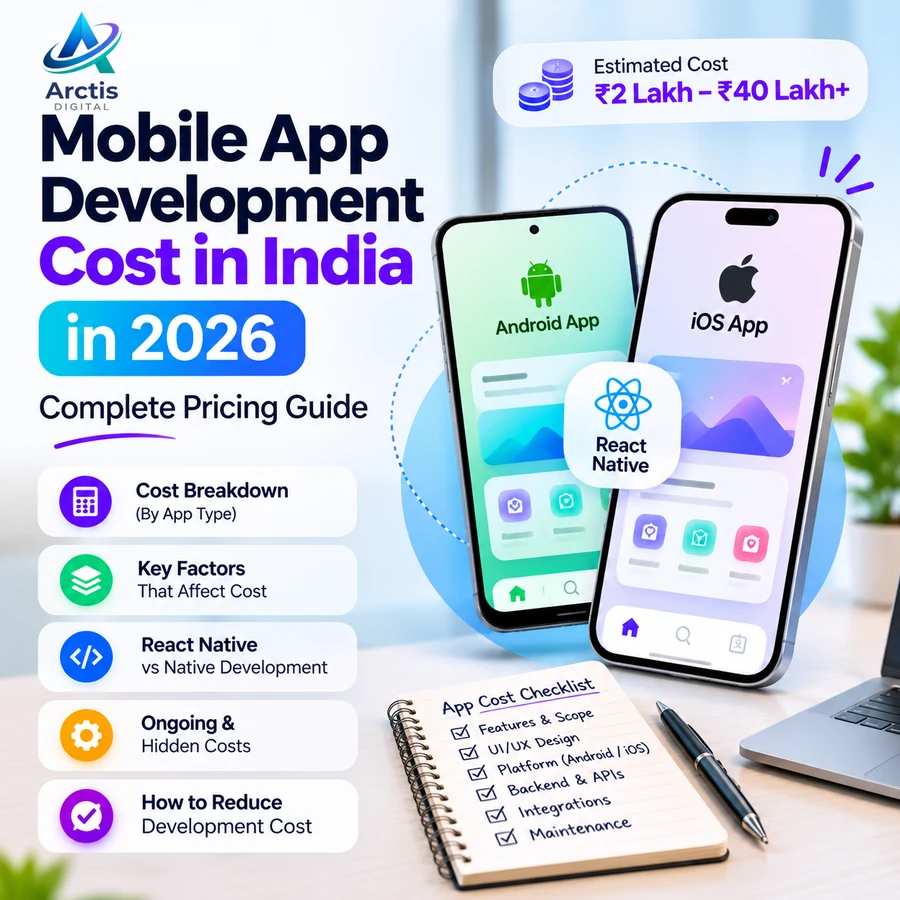
Mobile App Development Cost in India in 2026: Complete Pricing Guide
Planning a mobile app for your business or startup usually starts with one question: what is the mobile app development cost in India?
The answer depends on what the app must do, who will use it, which platforms it supports, and how much backend functionality is required. A simple app that displays information is very different from a marketplace with customer accounts, partner accounts, payments, live tracking, and an admin dashboard.
In this guide, we explain mobile app development cost in India in 2026, with practical budget ranges for different project types. We also cover React Native and native development, the features that increase cost, expenses after launch, and how to compare development proposals before choosing a team.
The figures below are indicative planning estimates, not fixed market rates or an Arctis Digital price list. The final cost should be based on a written scope, deliverables, technical requirements, and a clear agreement.
Quick Answer: How Much Does Mobile App Development Cost in India in 2026?
For early budgeting, India-focused published estimates place many small business and startup app projects in the low-to-mid single-digit lakh range, while multi-role products and marketplaces can cost substantially more. The following ranges are broad planning bands; actual proposals can fall outside them.
1. Basic Business App: Approximately ₹2 lakh–₹5 lakh
A basic app may include:
- One main user type.
- A limited set of screens.
- Business information, catalogue, or service listings.
- Enquiry or booking request forms.
- Basic user sign-in, if required.
- A simple content or admin interface, where needed.
This type of app is suitable when the product has one primary workflow and does not require complex real-time operations or multiple connected user roles.
2. Startup MVP: Approximately ₹3 lakh–₹8 lakh
An MVP (Minimum Viable Product) is an initial version designed to test a core product idea with real users. Depending on the scope, it may include:
- User registration and authentication.
- User profiles.
- One or two core product workflows.
- API and database integration.
- Push notifications.
- A basic admin dashboard.
- Essential analytics and error monitoring.
The exact budget depends on the complexity of the workflow and whether the backend or admin panel already exists.
3. App with Payments and Multiple User Roles: Approximately ₹6 lakh–₹12 lakh
A more involved business application may support customers, staff, vendors, or service providers. It can include:
- Role-based access and permissions.
- Payment gateway integration.
- Booking or order management.
- Notifications and status updates.
- Backend APIs and database workflows.
- Admin controls and reports.
- More extensive testing across devices.
Payments are not just a button connected to a gateway. Refunds, failed transactions, receipts, settlement rules, and reconciliation can add substantial implementation and testing work.
4. Marketplace or On-Demand App: Approximately ₹12 lakh–₹25 lakh or More
A marketplace often involves several connected products rather than a single customer-facing app. Depending on the business model, it may need:
- A customer application.
- A vendor, partner, or delivery application.
- An admin or operations dashboard.
- Listing and search functionality.
- Booking or order assignment.
- Payment collection and refunds.
- Maps and location-based features.
- Real-time status updates.
- Ratings, reviews, and support workflows.
The backend and operations dashboard can be as important as the mobile screens. A proposal that prices only the customer app may not cover the complete product.
5. Complex, Regulated, or Hardware-Connected Applications: Approximately ₹25 lakh–₹40 lakh or More
Applications involving advanced workflows, strict security requirements, hardware integrations, high-volume systems, or complex third-party services can exceed these ranges.
Examples include:
- Applications with extensive real-time tracking.
- IoT or Bluetooth-connected products.
- Large logistics or operations platforms.
- Advanced AI-powered applications.
- Financial or healthcare products with additional security and compliance requirements.
- Products with many user roles and complex approval workflows.
These projects need detailed discovery and technical planning before a credible estimate can be prepared.
Important: These ranges overlap because project scope matters more than the label “basic app” or “MVP.” A small app with a difficult integration can cost more than a larger content-focused app. Do not treat these figures as guaranteed quotations.
What Determines Mobile App Development Cost?
Two businesses can request a “mobile app” and receive very different estimates. The difference usually comes from functionality, backend complexity, integrations, quality requirements, and the work included before and after launch.
1. Number of User Types and Roles
A single-user app is usually simpler than a platform used by customers, vendors, delivery partners, employees, and administrators.
Each role may need different:
- Screens and navigation.
- Permissions and data access.
- Workflows and approval steps.
- Notifications.
- Reports and settings.
- Testing scenarios.
For example, a food ordering product may require a customer experience, a restaurant or vendor workflow, a delivery workflow, and an operations dashboard. Each additional role introduces functionality that needs to be designed, developed, and tested.
2. Backend, APIs, and Database
The mobile interface is only one part of most applications. If users need accounts, saved data, bookings, payments, messaging, or synchronized records, the app also needs backend services.
Backend work may include:
- API development.
- Database design.
- Authentication and authorization.
- File and image storage.
- Notifications.
- Admin dashboards.
- Audit logs and reporting.
- Data validation and business rules.
A project that already has a working, documented backend may need less new server-side development than a product being built from the ground up.
3. UI/UX Design
Good UI/UX design is more than selecting colours and adding attractive screens. It includes understanding user journeys, preparing wireframes, defining navigation, handling empty and error states, and making important tasks straightforward.
The cost can increase when a product needs:
- A completely custom design system.
- Complex dashboards.
- Multiple user journeys.
- Detailed animations.
- Accessibility work.
- Many screen sizes and device-specific layouts.
A consistent component system can help control cost without making the application look generic.
4. Third-Party Integrations
Integrations can add development, testing, and ongoing service costs. Common examples include:
- UPI and card payment gateways.
- SMS or OTP authentication.
- Maps and location services.
- Email delivery.
- Push notification services.
- CRM or ERP systems.
- Analytics platforms.
- Video or audio services.
- AI APIs and external data providers.
Ask whether each integration's setup, testing, transaction charges, usage charges, and ongoing maintenance are included in the proposal.
5. Platform and Device Support
Building for Android only, iOS only, or both platforms changes the scope. A cross-platform framework can share much of the application code, but both platforms still need testing, configuration, release preparation, and support for platform-specific behaviour.
Also decide which devices and operating-system versions need support. Testing only on a high-end phone is not enough if your intended users rely on entry-level Android devices.
6. Security and Data Requirements
Applications that store personal information, payment-related records, business data, or sensitive customer information need suitable security design.
Depending on the product, this may involve:
- Secure authentication and session handling.
- Role-based access control.
- Secure API communication.
- Input validation.
- Protection of secrets and credentials.
- Data encryption where appropriate.
- Logging and monitoring.
- Backup and recovery planning.
- Security testing.
Security should be considered during architecture and development, not added only just before launch.
React Native vs Native App Development: What Should You Choose?
One of the decisions that affects the project plan is whether to build separate native apps or use a cross-platform framework.
React Native
React Native uses React concepts and native components to build mobile applications. It can allow a team to share much of the application logic across Android and iOS, while still using platform-specific code when required.
It can be a suitable option for many business applications, including:
- Booking and appointment apps.
- Customer portals.
- Service applications.
- Ordering applications.
- Business dashboards.
- Apps with forms, lists, profiles, and API-driven workflows.
A shared codebase can reduce duplicated development work, but it does not eliminate platform testing, release work, or all native development.
Read the official React Native documentation to understand how React Native uses native components.
Native Android and iOS Development
Native Android development commonly uses Kotlin, while native iOS development commonly uses Swift. Native development can be appropriate when a product requires deep platform integration, specialized hardware capabilities, demanding graphics, or platform-specific behaviour.
Separate native applications can also mean maintaining separate codebases and release processes. The right decision depends on the product's technical requirements and the team's capabilities.
Which Approach Is Better for a Business App?
There is no universal winner. Choose the approach based on:
- The features the product actually needs.
- Required device and operating-system capabilities.
- Existing technology and developer skills.
- Performance and reliability requirements.
- Available budget.
- Long-term maintenance responsibility.
Arctis Digital's mobile app development offering focuses on cross-platform applications using React Native. The framework should still be selected only after checking whether it fits the proposed application.
What Is Included in a Mobile App Development Project?
Before comparing quotations, check what each proposal actually includes. A development quote may cover only coding, while another may also include research, design, testing, deployment, documentation, and post-launch support.
A clearly scoped project may include the following stages.
1. Discovery and Requirement Analysis
The team documents the business problem, intended users, main workflows, required platforms, integrations, and project constraints.
The output should be a defined scope rather than a collection of vague feature names.
2. UI/UX Design
This stage may include user flows, wireframes, visual design, reusable components, and interactive prototypes.
Confirm how many screens, revisions, and design deliverables are included.
3. Mobile App Development
Developers implement the approved screens, user interactions, authentication, navigation, and integrations.
Confirm whether the proposal covers Android and iOS, and whether platform-specific work is included.
4. Backend and Admin Development
Where required, the project includes APIs, database setup, business logic, permissions, and an admin dashboard.
Clarify whether the admin panel is a separate web application and how many roles or workflows it supports.
5. Quality Assurance and Testing
Testing should cover more than whether the app opens. It should include:
- Main user journeys.
- Form validation and error handling.
- Different screen sizes and devices.
- Network interruptions where relevant.
- Authentication and permissions.
- Payment and integration test cases.
- Performance and stability checks.
6. App Store Preparation and Release
The release stage may include build configuration, app icons, screenshots, store descriptions, privacy information, signing, and submission assistance.
Do not assume that submission guarantees approval. Store review depends on the app and the applicable platform requirements.
7. Handover and Post-Launch Support
Confirm that the client receives the agreed source code, repository access, documentation, deployment details, and ownership of relevant accounts.
Specify the duration and scope of bug-fix support after launch. New features and ongoing maintenance should be treated separately unless expressly included.
Hidden and Ongoing Costs After App Launch
The initial development quote is not the entire cost of operating a mobile application. Some expenses begin before launch, while others grow as users and transactions increase.
1. Google Play Developer Account
Google currently lists a US$25 one-time registration fee for a Google Play developer account. Account verification and other publishing requirements also apply. Read Google Play Console registration guidance.
2. Apple Developer Program
The Apple Developer Program currently costs US$99 per year, with local-currency pricing where available. Check the official Apple Developer Program enrollment page before budgeting.
These are account membership fees, not app development charges. Currency conversion, applicable taxes, and payment terms may affect the amount paid.
3. Backend and Hosting
An app with user accounts and synchronized data generally requires backend infrastructure. Costs depend on compute, database, storage, traffic, backups, and service architecture.
A small early-stage app may have modest infrastructure usage, but a large or real-time application can require more capacity and monitoring.
4. SMS, OTP, Maps, and API Usage
External services may charge based on messages, requests, transactions, or usage. Estimate these expenses using expected activity rather than assuming they will remain free.
5. Payment Gateway Charges
Payment providers may charge transaction or service fees. Refunds, settlements, subscriptions, and marketplace payouts can introduce additional operational complexity. Verify pricing directly with the selected payment provider.
6. Maintenance and Updates
After launch, applications need dependency updates, operating-system compatibility checks, bug fixes, security reviews, monitoring, and occasional changes to APIs or integrations.
Ask for a separate maintenance proposal that defines what is covered, how requests are prioritized, and what counts as a new feature.
How to Reduce Mobile App Development Cost Without Building the Wrong Product
Reducing cost should not mean removing essential security, testing, or reliability work. The better approach is to reduce unnecessary scope.
1. Start With a Clear MVP
An MVP should solve one important problem for a clearly defined group of users. Avoid building every feature that might be useful in the future.
Separate requirements into:
- Must-have features for the first release.
- Useful features for a later release.
- Optional ideas that should wait until users validate the product.
2. Limit User Roles Initially
If the first version can work with one primary user type and a simple admin workflow, do not build a complicated multi-sided platform before it is needed.
3. Reuse Proven Components Where Appropriate
Reusable UI components, standard authentication patterns, and established integrations can help control development work. They should still be evaluated for security, compatibility, and maintainability.
4. Finalize the Main Workflow Before Development
Frequent changes to features, roles, and business rules can increase cost and delay launch. Document the primary user journey and agree on acceptance criteria before implementation.
5. Avoid Unnecessary Integrations
Every external integration introduces setup, testing, support, and sometimes recurring usage costs. Include only the services required for the first release.
6. Plan for Both Platforms Early
Decide whether Android, iOS, or both are required. If both are important, consider a suitable cross-platform approach rather than discovering late in the project that the product needs a second build strategy.
App vs Website: Does Your Business Actually Need a Mobile App?
Not every business needs a mobile application. A website can be a better starting point when customers mainly need to discover the business, compare services, read information, or send an enquiry.
A mobile app may make more sense when:
- Customers use the service frequently.
- Users need recurring accounts and personalized workflows.
- Push notifications are important to the product.
- The application needs device capabilities or offline workflows.
- Employees, delivery partners, or vendors need a dedicated work interface.
- A repeat customer journey would benefit from an installed application.
For a simple online presence or lead-generation requirement, compare the cost of website development in India before committing to an app budget.
If you are still evaluating your online presence, our article on why every business needs a website explains the role a website can play in customer discovery.
For an online store, also compare the requirements of an e-commerce website before funding a separate shopping app. Our guides cover e-commerce website development cost in India and Shopify vs WooCommerce vs custom e-commerce development.
Questions to Ask Before Hiring a Mobile App Development Company
Use these questions when comparing proposals from developers or agencies.
1. What Exactly Is Included in the Scope?
Ask for a feature list, user roles, supported platforms, integrations, admin functionality, and deliverables. Avoid approving a quote that only says “mobile app development.”
2. Is Backend Development Included?
Confirm whether APIs, database design, authentication, file storage, and the admin dashboard are included or quoted separately.
3. Will the App Support Android and iOS?
Ask which platforms are included, how cross-platform development is handled, and whether platform-specific features require additional work.
4. Who Owns the Source Code and Accounts?
The client should understand who controls the source-code repository, developer accounts, domain, backend, cloud services, and third-party subscriptions. Access and ownership should be agreed before the project begins.
5. What Testing Is Included?
Ask which devices, operating-system versions, workflows, integrations, and failure scenarios will be tested. Confirm how bugs are reported and resolved.
6. What Happens After Launch?
Clarify the warranty or bug-fix period, maintenance options, response times, update scope, and the cost of new features.
7. How Are Payments and Milestones Structured?
A proposal should specify milestone deliverables, acceptance criteria, payment dates, and what happens when scope changes. Avoid paying the entire amount without defined progress and handover terms.
For a broader checklist on evaluating a development partner, read our guide on how to choose a website development company in India. The same principles around scope, ownership, communication, testing, and support apply to app projects.
Frequently Asked Questions
How much does it cost to develop a mobile app in India in 2026?
The cost depends on the app's features, user roles, backend, integrations, platform requirements, and testing. For early planning, a basic app may fall around ₹2 lakh–₹5 lakh, an MVP around ₹3 lakh–₹8 lakh, an app with payments and multiple roles around ₹6 lakh–₹12 lakh, and a marketplace around ₹12 lakh–₹25 lakh or more. These are indicative estimates, not fixed quotations.
Is Android app development cheaper than iOS app development?
It depends on the scope and team. Building for only one platform can reduce the initial scope, but the difference is not a fixed percentage. Features, integrations, design, testing, and backend work often matter more than the platform label alone.
Is React Native suitable for business applications?
React Native can be suitable for many business applications, including booking, ordering, dashboards, and customer portals. It uses native components and supports platform-specific code where needed. Suitability depends on the product's functionality, device requirements, and the team's technical capabilities.
Can one React Native codebase support Android and iOS?
React Native allows teams to share much of the application code across Android and iOS. However, platform-specific configuration, integrations, testing, and sometimes native modules are still required.
How long does mobile app development take?
A simple app can take several weeks, while apps with multiple roles, payment flows, real-time features, or complex integrations can take several months. A reliable timeline requires an agreed scope, design decisions, team availability, and testing plan. Store review and external approvals can also affect the release date.
What are the additional costs after developing an app?
Ongoing expenses may include hosting, databases, storage, SMS and OTP messages, maps, payment gateway fees, monitoring, maintenance, and app-store memberships. The actual amount depends on usage and the services selected.
Do I need an admin panel for my mobile app?
Not every application needs one. An admin panel becomes useful when the business needs to manage users, listings, bookings, orders, content, approvals, reports, or other operational activities. Include it in the scope if the business needs it; do not assume it is automatically part of the mobile app.
Does mobile app development include Google Play and Apple App Store publishing?
Some proposals include release preparation and submission assistance, while others charge separately. Confirm whether store assets, account setup, signing, testing, submission, and post-review fixes are included. App-store approval is controlled by the platform and cannot be guaranteed by a developer.
Final Thoughts
The mobile app development cost in India in 2026 depends on the product you are building, not simply the number of screens or the choice of framework.
A focused business app and a multi-sided marketplace have different requirements for backend development, user roles, integrations, security, and operations. Start by identifying the main problem, validating the core workflow, and defining the first release. Then compare proposals based on scope, testing, ownership, and ongoing support—not just the lowest price.
Arctis Digital provides mobile app development using React Native for businesses that need cross-platform mobile solutions. We can help assess the product requirements, plan the application scope, and determine the development approach based on the features and business goals.
Explore our services or contact Arctis Digital to discuss your mobile application requirements.
Further Reading and References
- React Native Documentation — official overview of React Native and its native components.
- Google Play Console Registration — current developer account setup and registration fee.
- Apple Developer Program Enrollment — current membership fee and enrollment requirements.
- App development cost in India (2026) — SiteYatra — one public India-focused estimate for simple, mid-complexity, and complex apps.
- How much does mobile app development cost in India in 2026? — Appna Studio — public estimate examples by app scope.
- How much does it cost to build an app in India? — The Saral — public estimate examples by app type and provider model.