
Online Exam Portal Development for Coaching Institutes in India: Features, Cost & Complete Guide (2026)
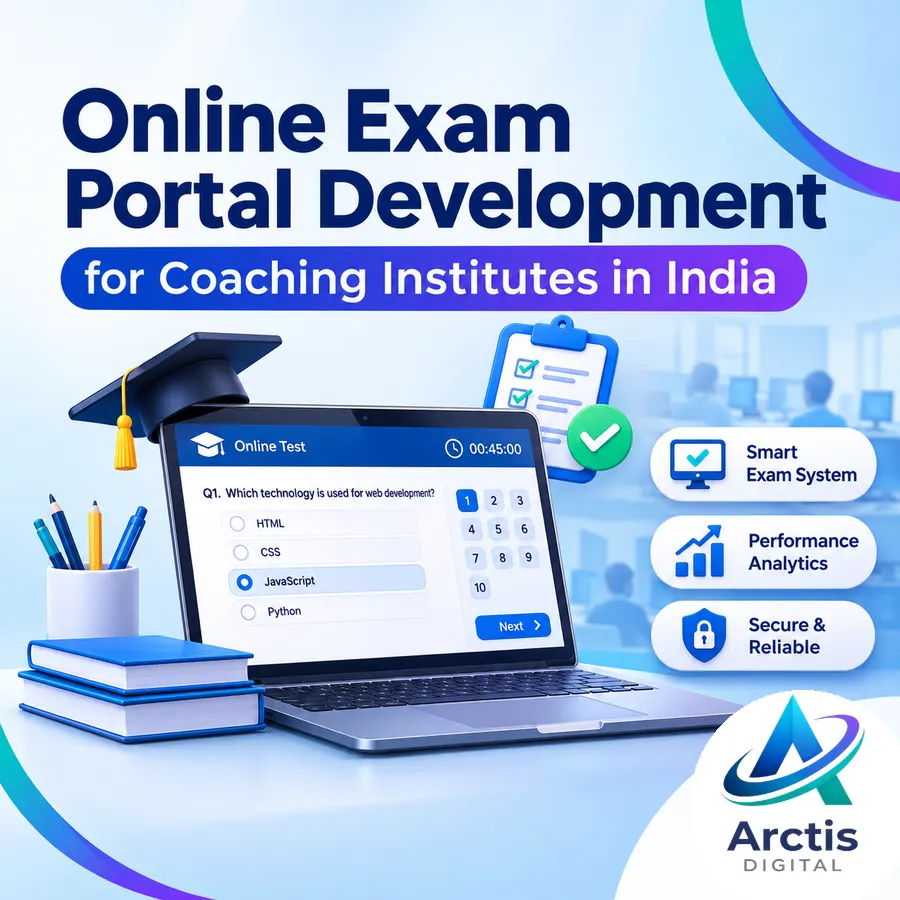
Coaching institutes increasingly need more than classroom teaching and printed test papers. Students expect online practice, mock examinations, instant results, performance reports and access to their academic information through a digital platform.
Managing these activities manually becomes difficult as the number of students, batches, subjects, tests and faculty members increases. Checking papers, preparing results, tracking weak topics and distributing test materials can consume significant time and create unnecessary administrative work.
This is where online exam portal development for coaching institutes becomes useful. A properly designed examination portal allows institutes to create and schedule tests, manage student accounts, conduct online examinations, evaluate answers, generate results and analyse student performance through a centralised system.
However, not every coaching institute needs an expensive custom platform. Some institutes can manage their requirements with existing examination software, while others may need a customised portal that supports specific exam patterns, workflows, integrations and administrative requirements.
This guide explains how online exam portals work, what features they should include, how they can be developed, what affects their cost and how coaching institutes can choose the right solution.
1. What Is an Online Exam Portal for Coaching Institutes?
An online exam portal is a web-based examination system that allows educational institutions to conduct tests digitally instead of relying entirely on printed question papers and manual evaluation.
Students log in to their accounts, access assigned examinations, answer questions, submit their tests and view results according to the institute's rules.
The administration can manage students, subjects, question banks, test schedules, marking schemes, results and reports from a dedicated dashboard.
A coaching institute's online exam portal may include:
- Student registration and login.
- Batch and course management.
- Subject-wise question banks.
- Online mock tests.
- Timed examinations.
- MCQ and numerical questions.
- Automatic evaluation.
- Negative marking.
- Rank and score calculation.
- Student performance analytics.
- Admin and faculty dashboards.
- Result generation and downloadable reports.
A basic quiz website may only allow users to answer a few questions and calculate a score. A proper examination portal must handle scheduling, exam rules, saved responses, submissions, scoring, permissions, data management and reliability.
2. Who Needs an Online Examination Portal?
Online examination systems are not limited to large educational institutions. They can be useful for organisations that regularly conduct assessments and need structured student performance data.
JEE coaching institutes
Engineering entrance coaching institutes may need examination systems that support Physics, Chemistry and Mathematics, numerical questions, multiple-choice questions, negative marking, timed mock tests and detailed performance analysis.
Students can practise through chapter-wise tests, subject tests, full-length mock examinations and previous-year question formats.
NEET coaching institutes
Medical entrance coaching institutes may require Biology, Physics and Chemistry test management, large question banks, mock examinations, timed tests, marking schemes and subject-wise score analysis.
The platform should support the examination format required by the institute instead of assuming all tests use the same rules.
School and tuition centres
Schools and tuition centres may use an online portal for regular assessments, chapter tests, assignments, weekly quizzes and revision examinations.
A simpler system may be sufficient for these institutions, without advanced examination controls or complex analytics.
Competitive exam preparation institutes
Institutes preparing students for examinations such as UPSC, SSC, Banking, GATE, CAT and state-level entrance examinations may require different question formats, time limits, marking rules and reporting structures.
The system should be configurable according to the actual exam requirements.
3. Essential Features of an Online Exam Portal
The features of an online exam portal should be selected according to how the institute conducts examinations. Adding every available feature increases development time, complexity and maintenance requirements.
A. Student Registration and Login
Every student should have a dedicated account to access the examination portal.
The system may include:
- Student registration or admin-created accounts.
- Secure login and logout.
- Password reset functionality.
- Student profile management.
- Student ID or roll number.
- Course and batch assignment.
- Account activation and deactivation.
- Access permissions.
For institutes that enrol hundreds or thousands of students, bulk student import through Excel or CSV files can reduce manual account creation.
B. Student Dashboard
The student dashboard should provide a clear overview of their academic activities.
A student dashboard may display:
- Upcoming examinations.
- Available practice tests.
- Completed examinations.
- Previous scores.
- Performance trends.
- Subject-wise progress.
- Notifications.
- Assigned tests.
- Test history.
The dashboard should be easy to navigate on mobile devices because many students may access the portal through smartphones.
C. Question Bank Management
A question bank is one of the most important components of an examination platform.
Instead of creating every test from scratch, faculty members can maintain a reusable collection of questions organised by subject, chapter, topic, difficulty and question type.
The question bank may support:
- Multiple-choice questions.
- Multiple-select questions.
- Numerical-answer questions.
- True or false questions.
- Match-the-following questions.
- Image-based questions.
- Mathematical formulas.
- Explanations and solutions.
- Difficulty levels.
- Topic and chapter tags.
Questions should be stored in a structured format so faculty can reuse them, update them and generate different examinations without repeatedly entering the same content.
D. Test Creation and Scheduling
The admin or faculty dashboard should allow authorised users to create examinations.
Typical test configuration includes:
- Examination title.
- Subject or subjects.
- Chapters and topics.
- Total questions.
- Maximum marks.
- Duration.
- Start date and time.
- End date and time.
- Eligible batches.
- Attempt limits.
- Negative marking.
- Question and option randomisation.
- Result release settings.
The system should validate examination settings before publishing the test to avoid incorrect durations, missing questions or invalid marking configurations.
E. Online Examination Interface
The examination interface is where students interact with the question paper. Poorly designed exam screens can create confusion and unnecessary mistakes.
A professional examination interface should include:
- A visible countdown timer.
- Question navigation.
- Answer selection.
- Save and next controls.
- Previous question navigation.
- Mark for review.
- Answered and unanswered question indicators.
- Section navigation.
- Clear submission controls.
- Confirmation before final submission.
For institutes preparing students for computer-based examinations, a familiar test interface can help students practise navigating digital question papers.
However, interface similarity alone does not guarantee improved exam performance. Students still need subject knowledge, time-management practice and familiarity with the actual examination rules.
F. Automatic Evaluation and Marking Rules
Automatic evaluation can reduce manual checking for objective questions.
The system should support configurable scoring rules, including:
- Marks for correct answers.
- Marks deducted for incorrect answers.
- No marks for unanswered questions.
- Section-wise marking.
- Question-specific marking.
- Partial marks where applicable.
- Multiple-correct-answer rules.
- Result calculation.
For example, an institute may configure:
- Correct answer: +4 marks.
- Incorrect answer: −1 mark.
- Unanswered question: 0 marks.
The system should not hardcode one marking scheme for every test. Examination rules should be configurable so the platform can support different subjects, test types and competitive examinations.
For subjective questions, faculty may need a manual evaluation workflow.
G. Results and Scorecards
Once a test is submitted and evaluated, students should be able to access their results according to the institute's release policy.
A result dashboard may include:
- Total score.
- Maximum marks.
- Correct answers.
- Incorrect answers.
- Unattempted questions.
- Accuracy percentage.
- Time taken.
- Subject-wise marks.
- Rank within the batch.
- Answer review.
- Correct solutions, when released.
A downloadable scorecard can help students review their performance and provide a structured record of their examination attempts.
H. Performance Analytics
Results are more useful when they explain where students are struggling instead of showing only a final score.
A coaching institute's analytics dashboard may include:
- Student performance trends.
- Subject-wise strengths and weaknesses.
- Chapter-wise accuracy.
- Topic-wise scores.
- Average marks.
- Batch performance comparison.
- Improvement between tests.
- Questions with unusually high incorrect-answer rates.
- Time spent on questions.
- Test participation.
These insights can help faculty identify topics that require revision and students who may need additional support.
Analytics should be designed around decisions the institute can actually make. A dashboard filled with graphs but no actionable information adds little value.
I. Admin and Faculty Dashboard
The administration needs a separate interface for managing the entire examination process.
Admin and faculty features may include:
- Student management.
- Batch management.
- Course and subject management.
- Question bank management.
- Examination creation.
- Test scheduling.
- Result publishing.
- Faculty permissions.
- Reports.
- Notices and announcements.
- Data exports.
Role-based access control should be implemented so administrators, teachers and students only access the functions and data permitted for their roles.
4. Advanced Features That Can Be Added
Not every feature is required during the first development phase. Institutes can begin with essential functionality and add advanced capabilities based on their operational needs.
Randomised Question Papers
The platform can randomise questions and answer options to create different versions of a test.
Depending on the examination design, students may receive different question sequences or selected questions from a shared question bank.
Randomisation can reduce simple answer sharing, but it does not eliminate cheating.
Exam Monitoring and Anti-Cheating Controls
Online examination portals can implement certain monitoring and examination controls, such as:
- Full-screen mode.
- Tab-switch detection.
- Exam session tracking.
- Restricted navigation.
- Time-based submission.
- Question and option randomisation.
- Attempt restrictions.
- Suspicious activity logs.
- Optional webcam-based monitoring.
These features have limitations. A browser-based system cannot guarantee that students will not use another device, receive assistance, record their screens or bypass every restriction.
Monitoring features also need to be proportionate to the examination's purpose, transparent to students and designed with privacy considerations.
Online Payments and Test Series Registration
Institutes that sell online test series or paid examinations may integrate payment gateways.
Possible features include:
- Test series purchase.
- Registration fees.
- Payment gateway integration.
- Transaction records.
- Payment status.
- Automated registration confirmation.
- Invoice or receipt generation.
Payment integrations should be implemented using appropriate gateway workflows. Sensitive payment credentials should not be stored directly by the examination portal.
Notifications and Reminders
Students can receive reminders about upcoming examinations, deadlines, result announcements and new test availability.
Notifications may be delivered through:
- Email.
- SMS.
- WhatsApp integrations, where appropriately configured.
- In-portal notifications.
Notification frequency should be controlled so students receive useful information without being overwhelmed.
Multi-Institute or Multi-Branch Management
Larger education businesses may operate multiple branches, centres or departments.
A multi-branch system can include:
- Separate branch dashboards.
- Branch-specific batches.
- Centralised administration.
- Faculty access.
- Branch-wise reports.
- Student transfers.
- Consolidated performance analysis.
This functionality requires careful database design and permission management because students, examination data and staff may belong to different organisational units.
5. How an Online Exam Portal Works
A typical online examination system follows a structured workflow.
Step 1: Admin Creates the Examination
The administrator selects subjects, questions, marking rules, examination duration and eligible students or batches.
Step 2: Students Are Assigned
Students receive access based on their course, batch, registration status or examination eligibility.
Step 3: Examination Opens
At the scheduled time, authorised students can access the test.
The system checks their eligibility and creates an examination attempt.
Step 4: Students Answer Questions
Students navigate the question paper, select answers, review questions and save their responses.
The platform should persist answers reliably rather than depending exclusively on temporary browser state.
Step 5: Examination Submission
Students submit their examination or the system submits it automatically when the configured time limit expires.
The system should handle interrupted connections, duplicate submissions and unexpected browser closures according to defined rules.
Step 6: Evaluation
Objective answers are evaluated automatically using the configured marking scheme.
Subjective answers may be routed to faculty for evaluation.
Step 7: Results and Analytics
The system generates scorecards, subject-wise reports and performance analytics.
The institute can release results immediately or after faculty review.
6. Online Exam Portal Development: Technology and Architecture
The technology stack should be selected based on the expected number of users, examination complexity, data requirements, integrations and long-term maintenance.
A typical custom examination platform may consist of the following components.
Frontend
The frontend provides the interface for students, faculty and administrators.
Common technologies include:
- React.js.
- Next.js.
- HTML, CSS and JavaScript.
- Responsive UI frameworks.
The examination interface should be lightweight and optimised to work reliably on supported mobile devices, tablets and desktops.
Backend
The backend handles the platform's business logic.
Responsibilities may include:
- Authentication.
- User roles.
- Examination scheduling.
- Question retrieval.
- Attempt management.
- Answer saving.
- Evaluation.
- Score calculation.
- Reporting.
- Notifications.
- API integrations.
Backend architecture becomes especially important during examinations where many students are accessing the system at the same time.
Database
The database stores structured information, such as:
- Student records.
- Courses.
- Batches.
- Questions.
- Examinations.
- Examination attempts.
- Student responses.
- Results.
- Reports.
- Permissions.
Database structure should support accurate result calculation, data integrity and efficient retrieval.
API Integration
APIs may connect the portal to other systems, including:
- Payment gateways.
- Email services.
- SMS providers.
- WhatsApp services.
- External learning platforms.
- Analytics tools.
The system should not depend on unnecessary integrations during critical examination workflows.
Hosting and Infrastructure
Hosting requirements depend on the number of students, peak concurrent users, question types, image or media usage, database load and examination frequency.
A portal used by 50 students for weekly quizzes has different infrastructure requirements from a platform handling thousands of simultaneous examination attempts.
Infrastructure should be tested against expected peak usage rather than selected only according to the total registered student count.
7. Security and Reliability Requirements
An examination portal contains student information, examination papers, answers and academic results. Security and reliability should be considered during development, not added only after launch.
Important considerations include:
- Secure authentication.
- Password hashing.
- Role-based permissions.
- HTTPS.
- Input validation.
- Protection against common web vulnerabilities.
- Secure session management.
- Database backups.
- Audit logs.
- Rate limiting.
- Server-side examination timing.
- Reliable answer saving.
- Controlled result access.
- Secure file uploads.
- Protection against unauthorised examination access.
Why server-side validation matters
Critical examination logic should not rely entirely on frontend code.
For example, a student should not be able to change the countdown timer, marks, examination eligibility or final score simply by modifying browser-side values.
The backend should validate examination rules and calculate final results using trusted server-side logic.
Backup and recovery
Institutes should have a backup strategy covering relevant student data, examination records, questions and results.
Backups should be tested periodically. A backup that cannot be restored is not a reliable recovery plan.
Handling server load during examinations
If hundreds or thousands of students start a test simultaneously, the portal may experience a sudden increase in requests.
Load testing can help identify bottlenecks before a scheduled examination.
Testing should consider:
- Simultaneous login requests.
- Question loading.
- Answer saving.
- Timer synchronisation.
- Examination submission.
- Result processing.
- Database performance.
- Network interruptions.
A portal should not be considered ready for a high-stakes exam merely because it works with five test accounts.
8. Online Exam Portal Development Cost in India
The cost of developing an online examination portal depends on its features, technical architecture, number of user roles, exam complexity, integrations, security requirements and expected traffic.
There is no single fixed price for every coaching institute.
The following are planning ranges, not quoted market averages or guaranteed development prices.
Basic Online Exam Portal
<text weight="medium" color="success">Estimated budget: ₹40,000–₹90,000</text>
Suitable for small coaching centres that need a basic digital testing system.
Possible features:
- Admin login.
- Student accounts.
- Basic question management.
- MCQ tests.
- Timed examinations.
- Automatic evaluation.
- Basic results.
- Simple dashboard.
This version is suitable when the institute does not require advanced reporting, complex question formats or sophisticated exam controls.
Standard Coaching Institute Examination Portal
<text weight="medium" color="success">Estimated budget: ₹90,000–₹2,00,000</text>
Suitable for growing institutes managing multiple batches and regular examinations.
Possible features:
- Student and batch management.
- Multiple question types.
- Question bank organisation.
- Scheduled examinations.
- Configurable marking rules.
- Negative marking.
- Student dashboard.
- Faculty dashboard.
- Rank lists.
- Subject-wise analytics.
- Result exports.
- Notifications.
- Improved examination controls.
This level may be suitable for institutes that regularly conduct online tests and need better control over academic operations.
Advanced Custom Examination Platform
<text weight="medium" color="success">Estimated budget: ₹2,00,000–₹5,00,000+</text>
Suitable for institutes requiring a customised examination ecosystem.
Possible features:
- Advanced question bank.
- Multiple examination formats.
- Complex marking schemes.
- Multi-branch management.
- Advanced analytics.
- Online test series management.
- Payment integrations.
- Custom reports.
- Monitoring features.
- Dedicated faculty workflows.
- Custom APIs.
- Advanced permissions.
- High-concurrency optimisation.
More complex systems can exceed these budgets, particularly if they require mobile apps, extensive integrations, sophisticated proctoring or large-scale infrastructure.
What affects the cost?
The biggest cost factors are:
- Number of modules.
- Number of user roles.
- Complexity of examination rules.
- Number of question types.
- UI/UX design requirements.
- Admin dashboard complexity.
- Reporting and analytics.
- API and payment integrations.
- Security requirements.
- Expected simultaneous users.
- Mobile application requirements.
- Ongoing maintenance.
A portal with a basic MCQ test and automatic scoring is fundamentally different from a JEE-style platform with timed sections, question navigation, multiple answer formats, detailed analytics and complex marking rules.
The requirements should be finalised before comparing development quotations.
9. How Long Does It Take to Develop an Online Exam Portal?
Development time depends on the scope and complexity of the project.
A basic examination portal may take approximately 3–6 weeks, while a standard platform with multiple modules may require 6–12 weeks. Advanced platforms with custom examination logic, complex analytics, integrations or mobile applications may require several months.
Typical development stages include:
Requirement Analysis
The developer identifies examination formats, user roles, modules, marking rules, workflows, integrations and expected usage.
UI/UX Design
Interfaces are designed for students, faculty and administrators.
Frontend Development
The student examination interface, dashboards, navigation and forms are developed.
Backend Development
Authentication, question banks, examination logic, answer handling, evaluation and reports are implemented.
Integration
Payment gateways, notifications, external APIs and other required systems are integrated.
Testing
The platform is tested for functional errors, examination logic, permissions, performance, responsive behaviour and security.
Deployment and Training
The portal is deployed, configured, tested in the production environment and handed over with appropriate training and documentation.
For a detailed understanding of planning, development, testing and deployment timelines, read our website development timeline guide.
10. Ready-Made Exam Software vs Custom Exam Portal
Coaching institutes usually have two primary options: use an existing examination platform or develop a custom system.
Ready-Made Examination Software
A ready-made platform can be useful when the institute needs standard online tests without extensive customisation.
Advantages:
- Faster implementation.
- Lower initial development investment.
- Existing features.
- Vendor-managed infrastructure in many cases.
- Less direct technical maintenance.
Limitations:
- Subscription fees.
- Feature restrictions.
- Limited customisation.
- Vendor dependency.
- Potential branding restrictions.
- Data export or migration limitations.
Custom Online Exam Portal
A custom examination portal is developed around the institute's specific requirements.
Advantages:
- Custom examination workflows.
- Flexible marking rules.
- Institute-specific dashboards.
- Greater control over design.
- Custom integrations.
- Tailored reporting.
- Potentially greater control over data and deployment.
Limitations:
- Higher upfront development cost.
- Longer development timeline.
- Ongoing maintenance.
- Requires a development team for updates.
- Security and infrastructure responsibilities must be planned.
Which should you choose?
Choose ready-made software if your institute needs standard examinations, basic student management and straightforward reporting.
Consider custom development if your institute has unique exam patterns, complex workflows, special integrations, specific reporting requirements or a long-term need for a platform tailored to its operations.
Do not build custom software simply because it sounds more professional. Build it when the requirements justify the additional cost and responsibility.
11. Common Mistakes During Exam Portal Development
Building everything in the first version
Trying to include examinations, live classes, video streaming, attendance, fees, CRM, parent portals, mobile applications and AI features in the first release can make the project unnecessarily expensive and difficult to manage.
Start with the modules that solve the institute's most important problem.
Ignoring the student experience
A complicated examination interface can frustrate students.
The test should have clear navigation, visible timers, understandable answer states and a reliable submission process.
Failing to test concurrent users
A portal that works smoothly with a small number of users may fail when an entire batch starts an examination simultaneously.
Load testing should be planned according to expected peak concurrency.
Using insecure exam logic
Critical scoring, timing and attempt validation should not depend exclusively on frontend code.
The backend should control essential examination rules.
No backup or recovery plan
Examination records and student responses are important data. Backups and recovery procedures should be planned and tested.
Poorly defined requirements
Changing examination rules, modules, reports and workflows repeatedly during development increases costs and delays.
A clear scope, documented requirements and agreed milestones reduce unnecessary rework.
Treating anti-cheating features as guarantees
Tab-switch detection, fullscreen mode and webcam monitoring are not foolproof.
Institutes should understand the limitations of online proctoring and combine appropriate controls with exam design, monitoring and clear policies.
12. Checklist Before Developing an Online Exam Portal
Before starting development, the institute should define its requirements.
Examination requirements
- What examinations will the platform support?
- What question types are required?
- Will negative marking be used?
- Are section-wise timers required?
- Will examinations be scheduled?
- How many attempts will students receive?
- Will results be released immediately?
- Are manual evaluations required?
Student and faculty requirements
- Student registration and login.
- Batch management.
- Faculty accounts.
- Admin roles.
- Student dashboards.
- Examination history.
- Faculty reporting.
Technical requirements
- Mobile and desktop compatibility.
- Secure authentication.
- Reliable answer saving.
- Server-side scoring.
- Database backup.
- Performance testing.
- Security testing.
- Hosting requirements.
- Expected concurrent users.
Business requirements
- Project scope.
- Budget.
- Development timeline.
- Ownership of source code.
- Hosting responsibilities.
- Maintenance arrangement.
- Support expectations.
- Training and handover.
Clearly defining these requirements before development makes it easier to select the correct technology, estimate costs and avoid unnecessary features.
13. Frequently Asked Questions
What is online exam portal development for coaching institutes?
Online exam portal development for coaching institutes involves building a digital platform where institutes can manage students, create examinations, conduct timed tests, evaluate responses, generate results and track student performance.
Can an online examination portal support JEE and NEET mock tests?
Yes, a properly developed portal can support JEE and NEET-style examinations, including question types, examination duration, marking rules, negative marking, navigation and score calculations. The requirements should be configured according to the intended exam format.
Can students take online exams from mobile phones?
Yes. An examination portal can be designed to work on smartphones, tablets and desktops. However, some advanced monitoring and examination controls may work differently depending on the device and browser.
Can the portal calculate marks automatically?
Yes. Objective questions can be evaluated automatically according to the configured answer keys and scoring rules. Subjective answers may require faculty evaluation.
Can a coaching institute have its own branded exam portal?
Yes. A custom examination platform can use the institute's branding, domain name, design, login interface and dashboards, depending on the hosting and deployment requirements.
Can an online exam portal prevent cheating?
No online system can guarantee that cheating will be completely prevented. Monitoring features, randomisation, time restrictions, session controls and activity logs can discourage or detect certain behaviours, but they have limitations.
How much does a custom online exam portal cost in India?
A basic portal may cost approximately ₹40,000–₹90,000, a standard platform around ₹90,000–₹2,00,000 and a more advanced custom platform ₹2,00,000–₹5,00,000 or more. The actual price depends on modules, examination logic, integrations, security and expected user load.
How long does online exam portal development take?
A basic platform may take 3–6 weeks. A standard examination portal may require 6–12 weeks, while advanced systems can take several months depending on the requirements.
Is custom development better than ready-made examination software?
Not always. Ready-made software is usually more practical for standard requirements. Custom development is more appropriate when the institute needs specialised workflows, examination rules, reporting, integrations or greater control over its platform.
Conclusion
An online examination portal can help coaching institutes reduce manual work, organise examinations, automate objective evaluation and understand student performance more clearly.
However, the value of the platform depends on how well it matches the institute's actual examination process. A basic test system does not need enterprise-level complexity, while an institute conducting frequent large-scale competitive examination mocks may require a more advanced architecture.
Before investing in development, define the examination formats, student workflows, marking rules, reporting requirements, expected users and security expectations.
A properly scoped examination portal can become a long-term digital asset for an educational institute—supporting not only online tests but also academic management and future digital expansion.
If your coaching institute is planning to digitise examinations, student management or academic workflows, Arctis Digital can help you plan and develop a custom web-based solution based on your requirements.
Explore our services or contact Arctis Digital to discuss your project.